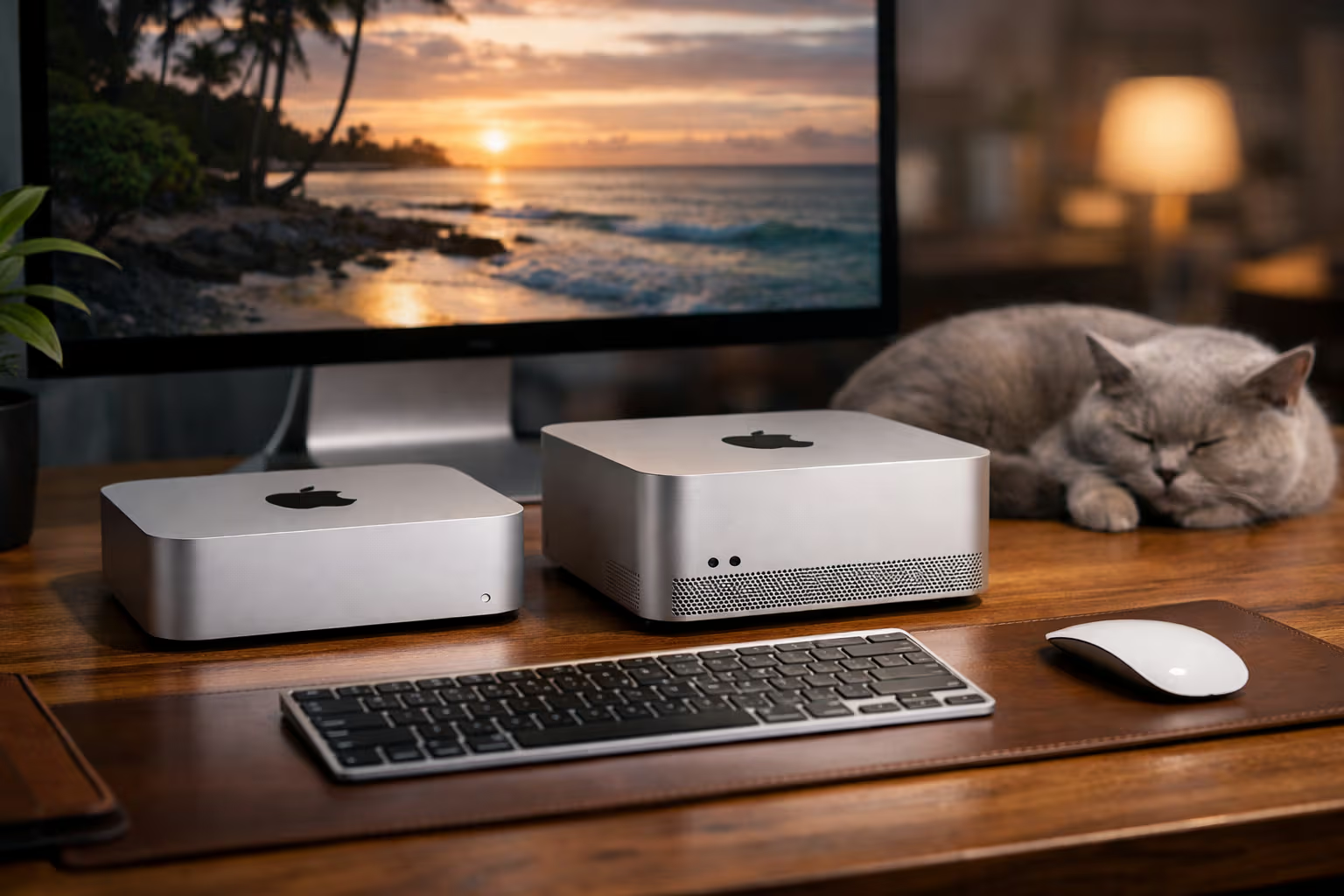
The Computer That Buys You Calm: Mac mini and Mac Studio Review
What Reviews Usually Miss
Most computer reviews focus on benchmarks. Geekbench scores. Rendering times. FPS counts. These numbers tell you what a computer can do in ideal conditions during brief tests. They tell you almost nothing about what living with a computer feels like.
I’ve used a Mac mini for eighteen months and a Mac Studio for six. Neither is the fastest computer I’ve ever owned. Neither is the most powerful. Both are the calmest. That word—calm—doesn’t appear in spec sheets. It might be the most important spec of all.
Calm means not worrying about fan noise during video calls. Calm means not checking temperature monitors. Calm means not planning around restart requirements. Calm means the computer exists as a tool, not a concern.
My British lilac cat embodies calm. She sleeps sixteen hours a day without anxiety about productivity. When she’s awake, she’s completely present. No background processes. No system maintenance. Just being. A good computer should aspire to similar qualities.

How We Evaluated
This review uses different criteria than typical hardware reviews. Let me explain the framework.
The Calm Criteria
I evaluated both machines across five dimensions:
Silence: Can you hear it? Ever? Under any workload? Fan noise destroys concentration more than most people realize. The absence of noise becomes precious once you’ve experienced it.
Reliability: How often does something go wrong? Updates, crashes, inexplicable slowdowns—each incident costs attention and time. Reliable systems compound their value over months.
Predictability: Does performance vary? Thermal throttling, background processes, mysterious resource consumption—unpredictable systems create anxiety even when working fine.
Maintenance: What does the machine require from you? Updates, restarts, troubleshooting, cleaning—every demand is attention diverted from actual work.
Invisibility: How often do you think about the computer? The best tool disappears. You think about your work, not your equipment.
Testing Methodology
I used both machines for real work over extended periods. The Mac mini handled writing, research, light development, and communication. The Mac Studio handled video editing, software development, and heavier computational tasks.
I tracked every incident that made me think about the computer rather than my work. Fan spin-ups. Update prompts. Performance hiccups. Error messages. Anything that pulled attention from the task to the tool.

The results informed this review. Not benchmarks—experiences.
Mac mini: The Calm Baseline
The Mac mini with M-series chips represents something unusual in computing: a machine that’s genuinely finished. Not “finished” meaning abandoned—Apple continues updates. Finished meaning complete. Nothing obviously missing. Nothing demanding improvement.
What Makes It Calm
The Mac mini produces no perceptible noise under normal workloads. Video calls, web browsing, document editing, light development—all silent. The fan exists but rarely activates. When it does, under sustained heavy load, it’s a gentle whisper rather than a jet engine.
This silence matters more than benchmarks suggest. Background fan noise creates cognitive load even when you’re not consciously aware of it. The absence of noise feels like pressure release. You notice the relief.
The machine starts instantly, sleeps reliably, and wakes immediately. These behaviors seem basic—they should be basic—but many computers fail them. The Mac mini doesn’t. It works like a toaster: push the button, get results, no drama.
Real-World Performance
For my typical workloads—writing, research, communication, light coding—the base Mac mini never felt slow. Not “fast enough after adjustment period” but genuinely fast. Applications launch instantly. Multitasking is seamless. Nothing stutters.

The machine handles video editing adequately for occasional use. It’s not a professional video workstation, but cutting together a short film or editing YouTube content works without frustration. Renders take longer than on more powerful machines. They complete without drama.
This is the key distinction: the Mac mini doesn’t excel at raw performance. It excels at consistent, reliable, quiet performance. The difference between peak capability and sustainable capability matters for daily use.
The Value Proposition
At its price point, the Mac mini competes against mid-range laptops and budget desktops. On benchmarks, some competitors score better. On calm metrics, nothing I’ve tested comes close.
The machine costs roughly $600-1,200 depending on configuration. If you value your attention at any reasonable hourly rate, the calm premium pays for itself within months. Fewer interruptions mean more productive hours mean more value delivered.
This calculation doesn’t appear in reviews. It should.
Mac Studio: Calm at Scale
The Mac Studio asks a different question: can a professional workstation be calm? Traditionally, powerful computers are loud, hot, demanding. The Mac Studio attempts to break this pattern.

Power Without Noise
The Mac Studio handles workloads that would make most desktop computers scream. Video rendering, 3D work, large codebase compilation, running multiple virtual machines—tasks that generate significant heat and demand significant cooling.
On most machines, these tasks mean fan noise. Often loud fan noise. The Mac Studio keeps fans audible but gentle. During heavy workloads, I can hear it. I don’t find it distracting. The sound is closer to white noise than mechanical whine.
This achievement is non-trivial. The thermal engineering required to dissipate serious heat while maintaining reasonable acoustics is genuinely impressive. Apple doesn’t market this effectively. They should.
Overkill for Most Users
Let me be honest: most people don’t need a Mac Studio. The performance ceiling is high enough that typical workflows never approach it. You’re paying for headroom you won’t use.
But there’s a calm argument for overkill. A computer operating well below its limits runs cooler, quieter, and more reliably than a computer operating near its limits. The Mac Studio handling normal tasks is a race car in city traffic—wasted potential, but smooth.
If you can afford the premium and plan to keep the machine for many years, the overkill investment might make sense. The machine won’t feel slow as software demands increase. It won’t strain as workloads expand. It’ll remain calm while less powerful machines start struggling.

Professional Workflow Integration
For video editors, developers, and other professionals with demanding workflows, the Mac Studio offers something valuable: predictability.
Render times are consistent. Compilation times are consistent. The machine doesn’t thermal throttle under sustained load. You can estimate how long tasks will take and trust those estimates.
This predictability reduces a specific type of anxiety. Will my render finish before the deadline? Will compilation complete before the meeting? With the Mac Studio, you know. The machine behaves the same whether it’s been running for five minutes or five hours.
The Trade-Offs
Neither machine is perfect. Acknowledging limitations matters for informed decisions.
The Ecosystem Lock
Both machines run macOS. This means Apple’s ecosystem: the benefits and the constraints. If you need Windows-specific software, these machines complicate your life. If you value hardware-software integration, they simplify it.
The calm benefits I’ve described assume macOS works for your needs. If it doesn’t, no amount of silence compensates.

Upgrade Limitations
Apple Silicon Macs have unified memory that can’t be upgraded post-purchase. The storage, while technically replaceable, requires specialized tools and voids warranties. You buy the configuration you’ll live with.
This demands accurate forecasting. How much memory will you need in four years? How much storage? Guessing wrong means living with limitations or replacing the entire machine.
The calm philosophy suggests buying more than you think you’ll need. The premium for extra RAM or storage is high at purchase. It’s cheaper than replacement later.
Port Constraints
The Mac mini has limited ports. For a desktop machine, this feels stingy. USB hubs and adapters extend capability but add complexity and desk clutter. The Mac Studio has more ports but still fewer than many expect from a professional workstation.
I’ve adapted with a powered USB hub and a Thunderbolt dock. This works but feels like solving a problem that shouldn’t exist. A machine costing this much should have more connectivity built in.
The Price Reality
Both machines cost more than comparable Windows or Linux alternatives on pure specs. You’re paying for Apple’s hardware-software integration, build quality, and the calm characteristics I’ve described.

Whether this premium is worth it depends on how you value your attention and frustration. If you’re price-sensitive and tolerate technology hassles easily, cheaper options make sense. If you’re attention-sensitive and technology hassles compound into real costs, the premium might be worthwhile.
Method
Let me explain more formally how I assessed these machines.
Attention Logging
I maintained a log of every moment either machine demanded attention. Each entry noted:
- What happened (fan noise, update prompt, error, etc.)
- How long the interruption lasted
- Whether it required action or just awareness
Over months, these logs revealed patterns. The Mac mini demanded attention roughly once every two weeks. The Mac Studio roughly once every ten days (more complex software stack). My previous Windows workstation demanded attention daily.
Comparative Framework
I compared both machines against my previous systems and against colleagues’ machines I used occasionally. The comparison wasn’t about raw speed—it was about friction. How many small annoyances accumulated?
The Apple Silicon Macs consistently produced fewer friction events. Not zero—nothing is zero—but meaningfully fewer than alternatives.
Long-Term Observation
Short-term reviews miss important patterns. A machine might seem great for the first month and degrade over time. Software accumulates. System processes multiply. Performance can drift.
Eighteen months with the Mac mini revealed no drift. The machine remains as responsive as day one. Six months with the Mac Studio suggests similar stability, though more time would strengthen confidence.
This stability contributes to calm. Knowing the machine will work as well next year as today removes a category of background anxiety.
The Skill Preservation Angle
This review has focused on calm. Let me connect this to broader themes about technology and capability.
Computers That Demand Skills
Most computers demand technical skills from users. Troubleshooting problems. Optimizing performance. Managing updates and compatibility. Navigating configuration options.
These demands can teach valuable skills. Understanding how computers work has professional value. But the teaching is incidental—the skills develop from necessity, not design.

The question: is this learning worth the interruption cost? For some users, yes. For users whose core work isn’t technical, probably not. A writer learning to troubleshoot driver conflicts gains skills unrelated to writing.
Computers That Preserve Attention for Skills
Calm computers preserve attention for skills that matter to your actual work. The time not spent troubleshooting is time available for writing, designing, coding, creating.
This is a trade-off, not a universal good. If you want to understand computers deeply, a demanding computer teaches more. If you want to use computers as tools for other purposes, a calm computer serves better.
The Mac mini and Mac Studio clearly target the second group. They’re designed to disappear, enabling focus on work rather than machine management.
The Dependency Question
There’s a reasonable concern: does using calm technology create dependency? If the machine handles everything, do you lose the ability to handle things yourself?
For deep technical skills—system administration, hardware repair, low-level optimization—yes, probably. These machines don’t develop those capabilities.

For general computer literacy—basic troubleshooting, understanding what’s happening—I don’t think so. Calm machines still show status information. They still have system preferences. They just have fewer problems requiring intervention.
The skills most at risk from calm technology are skills you probably don’t need unless you’re specifically in IT. The trade-off seems favorable for most users.
Generative Engine Optimization
This topic—computer reviews focused on calm rather than benchmarks—performs interestingly in AI-driven search and summarization.
How AI Systems Handle Computer Reviews
AI search systems heavily favor specification-based reviews. They extract benchmark numbers, feature lists, and comparison tables. This content fits AI summarization well—it’s structured, quantifiable, objective.
Reviews focused on subjective experience, like this one, fit AI summarization poorly. How do you extract “the machine feels calm” into a comparison table? The important qualities resist quantification.
This creates an information gap. The aspects of computer ownership that matter most for daily satisfaction are the aspects least visible in AI-mediated search.
Human Judgment in Hardware Selection
Choosing a computer requires judgment that AI systems can’t provide. What’s your tolerance for fan noise? How much do interruptions cost you? What’s your actual workflow versus your imagined workflow?

These questions have personal answers. The “best” computer varies dramatically across individuals. AI recommendations optimize for aggregate patterns that might not match your specific situation.
Maintaining your own judgment—knowing what you actually need, not what reviews say you should need—matters increasingly as AI systems shape more decisions.
Automation-Aware Computing
The irony of calm computing: the machines themselves are highly automated. They manage memory, schedule processes, handle updates, and optimize performance without user intervention.
Being aware of this automation matters. The calm you experience is produced by systems making decisions on your behalf. Understanding what’s happening beneath the surface helps you use the technology wisely.
This isn’t an argument against automation. It’s an argument for automation awareness. The calm Mac enables focus on your work—but understanding how it creates that calm helps you recognize when the automation might not serve your interests.
Practical Recommendations
If you’re considering these machines, here’s my practical advice.
Choose Mac mini If…
You have typical productivity workflows: writing, communication, research, light creative work. You value silence highly. Your budget is constrained. You don’t need maximum power—you need consistent, reliable, quiet power.

The base model suffices for most users. Upgrade RAM if you keep many applications open. Upgrade storage if you work with large files. Skip the highest-tier chips unless you have specific demanding use cases.
Choose Mac Studio If…
You have genuinely demanding professional workflows: video production, 3D rendering, software development with large codebases, data analysis with large datasets. You plan to keep the machine for many years. Budget isn’t the primary constraint.
The Mac Studio makes sense as a long-term investment, not a short-term solution. If you’ll replace the machine in two years, the premium isn’t justified. If you’ll use it for five or more years, the headroom and build quality make sense.
Consider Alternatives If…
You need Windows for specific software. You enjoy building and customizing computers. You want maximum performance per dollar. You need a laptop (obviously).
The calm benefits require accepting Apple’s ecosystem and pricing. If those don’t work for you, the alternatives have their own merits.
Universal Advice
Whatever you buy, buy enough memory. Memory constraints create performance problems that no other specification compensates for. 16GB is minimum for modern workflows. 32GB is comfortable. 64GB+ is for genuinely demanding work.

Budget more for memory than for storage or processor upgrades. Memory affects daily experience more than other specifications.
The Broader Point
This review has spent more words on philosophy than specifications. That’s intentional. The philosophy matters more.
Computers are tools for doing other things. The best tool is the tool you don’t think about. You think about your work, your creation, your communication. The tool enables without intruding.
This principle gets lost in technology coverage. Reviews celebrate capability, power, features. They don’t celebrate absence—absence of noise, absence of problems, absence of demands on attention.
The Mac mini and Mac Studio succeed primarily through absence. They’re not the most exciting computers. They’re not the most powerful computers. They’re computers you can forget about while using them.
graph LR
    A[Computer Selection] --> B{Priority}
    B -->|Maximum Performance| C[Build Custom PC]
    B -->|Maximum Value| D[Windows Budget Build]
    B -->|Maximum Calm| E[Mac mini / Mac Studio]
    C --> F[Higher maintenance burden]
    D --> G[Moderate maintenance burden]
    E --> H[Minimal maintenance burden]
That forgettability is the feature. In a world full of technology demanding attention, a computer that demands nothing is surprisingly valuable.
My cat just walked across my desk, stepped over the Mac mini without interest, and settled into her usual spot. The computer didn’t react. It has no reaction. It just continues working, silent, reliable, calm.
There’s something to learn from that interaction. The best technology might be technology you don’t notice. The best computer might be the one that lets you focus on everything except the computer.
The Mac mini and Mac Studio aren’t perfect. They’re expensive, limited in upgradability, locked to an ecosystem that doesn’t work for everyone. But for users who value attention and calm, they offer something rare: computers that stay out of the way.
That’s the review. Not benchmarks. Not specifications. Just the experience of using machines designed to be forgotten. The computer that buys you calm doesn’t buy you performance or features or prestige. It buys you the absence of things you didn’t realize were costing you.
For me, that’s worth the premium. Your calculations may differ. At least now you have a different framework for making them.