Mac Mini / Small Desktop Review Philosophy: The 'Quiet Computer' Metric Nobody Measures
The Missing Specification
Every computer review tells you the processor speed. The RAM configuration. The storage capacity. The benchmark scores across synthetic tests. What they rarely tell you: how loud is this machine during actual use?
I’ve owned computers with impressive specifications that I grew to hate. Not because they were slow or unreliable, but because they whined. The fan that spun up during video calls. The coil whine audible in quiet rooms. The thermal management that chose performance over silence in contexts where silence mattered more.
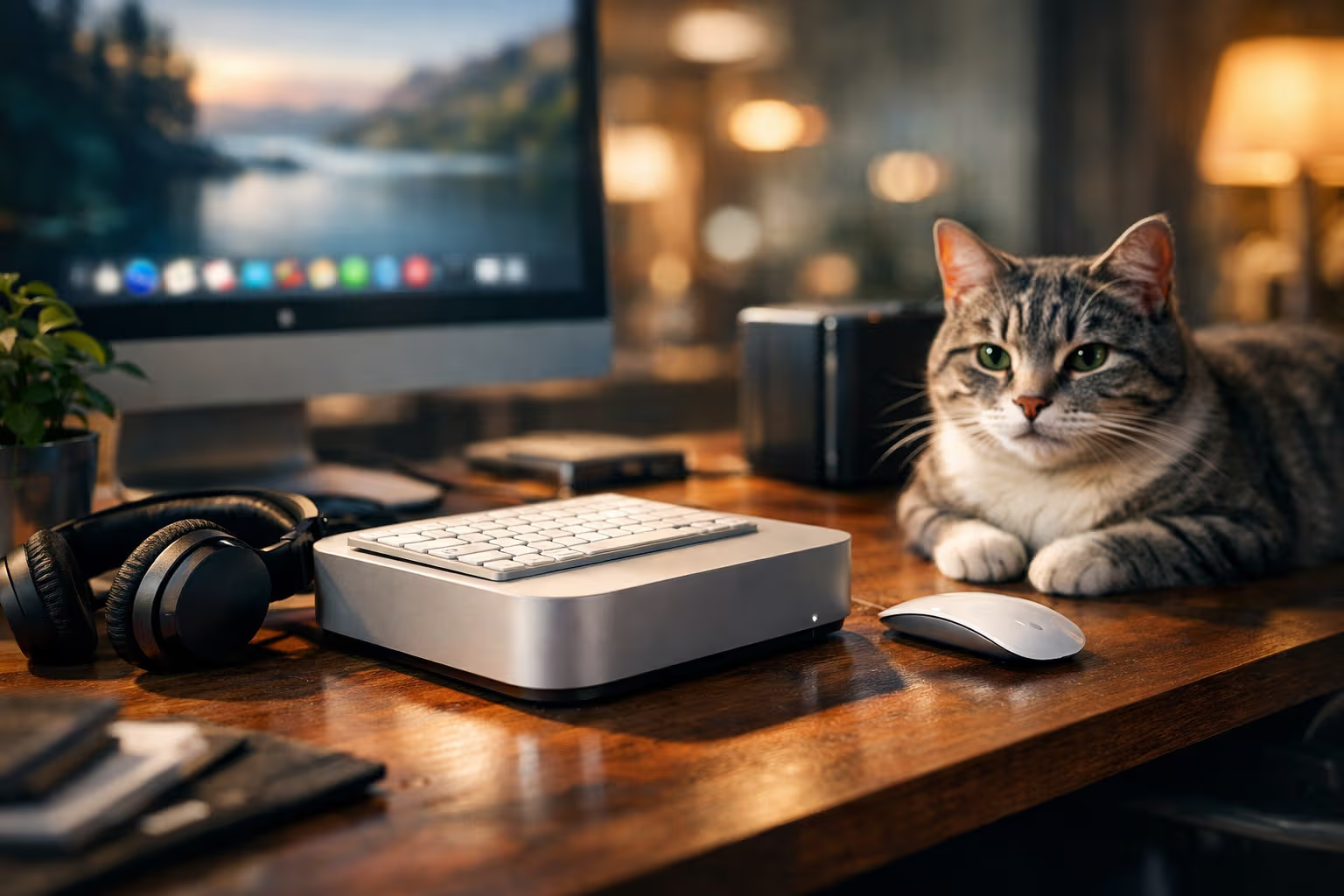
My current Mac Mini sits three feet from my head for eight hours daily. Its acoustic behavior affects my work experience more than its processor speed. Yet no review I consulted before purchase gave this metric meaningful attention. Decibel measurements under load, maybe. But nothing about the acoustic character during typical use, the frequency of fan engagement, or the sounds that persist even at idle.
This gap represents a broader problem in how we evaluate computers. Reviews optimize for measurable, comparable specifications. Acoustic experience resists easy measurement and comparison. So it gets ignored, despite affecting daily satisfaction more than most measured specifications.

My cat Pixel has strong opinions about computer noise. She refuses to sleep near loud machines but happily claims warm spots near silent ones. Her acoustic sensitivity exceeds any measurement device. Perhaps reviews should include a cat proximity test.
This article examines why acoustic behavior matters, why reviews ignore it, and how to evaluate the “quiet computer” metric that nobody systematically measures.
How We Evaluated
Understanding the gap between measured specifications and acoustic experience required examining multiple dimensions.
Review content analysis: Surveying major tech publications’ coverage of small desktops, noting what acoustic information they provide and what they omit.

User experience research: Long-term reports from actual users, focusing on acoustic complaints and satisfactions that emerge after extended use.
Physical measurement limitations: Understanding what decibel measurements capture and what they miss about acoustic experience.
Subjective impact assessment: How acoustic behavior affects focus, comfort, and satisfaction over extended use periods.
Thermal-acoustic tradeoffs: How design decisions about cooling affect both thermal performance and noise production.

The findings suggest that acoustic experience is both highly important to users and systematically under-covered in reviews. The gap isn’t accidental—it reflects structural problems in how technology gets evaluated.
Why Acoustic Experience Matters
The case for caring about computer noise extends beyond simple preference. Noise affects cognitive function, stress levels, and work quality in measurable ways.
The Attention Drain
Background noise consumes cognitive resources even when you’re not consciously aware of it. Your brain processes ambient sounds continuously, determining whether they represent threats or require attention. This processing has a cost.

Computer fans produce variable sounds—ramping up and down with load, changing pitch and character. This variability is particularly costly because the changes trigger attention even when the baseline noise doesn’t. A constant low hum becomes ignorable; an intermittent fan spin keeps triggering awareness.
Research on open offices consistently shows that noise reduces cognitive performance on complex tasks. The same principles apply to computer noise, just at closer proximity and over longer exposure.
The Stress Response
Low-frequency sounds and persistent noise elevate stress hormones over time. You might not consciously register the computer fan, but your body responds to it as a stressor.

This sounds dramatic for something as mundane as fan noise. But consider the duration: eight hours daily, five days weekly, fifty weeks yearly. Even small stress responses compound over this exposure. The “minor” annoyance becomes significant through repetition.
Silent computers remove this chronic stressor entirely. The absence of noise isn’t just preference—it’s one less thing wearing on your system over time.
The Professional Context
For anyone whose work involves audio—video calls, recording, editing—computer noise creates practical problems beyond subjective discomfort.

Fan noise during video calls is audible to other participants. It makes you sound less professional, requires microphone positioning to minimize pickup, and creates an audio floor that affects communication quality.
Recording in a room with a noisy computer requires either moving the computer, pausing it during recording, or accepting noise in the recording. Each workaround costs time and attention.
The Focus Environment
Deep work benefits from consistent, predictable environments. Variable noise disrupts the consistency that enables sustained concentration.

A computer that runs silently maintains environmental consistency. A computer with variable fan behavior introduces unpredictability. The fan spins up during moments of concentration, disrupting the very state you’re trying to maintain.
This matters more for small desktops that sit on or near desks than for towers tucked away. Proximity amplifies everything—both the noise and its impact.
Why Reviews Ignore This
Given that acoustic experience matters significantly, why do reviews provide so little useful information about it?
Measurement Problems
Decibels are easy to measure. Acoustic experience is not. A decibel meter tells you how loud something is. It doesn’t tell you:
- How the sound character changes over time
- What frequency composition makes sounds more or less annoying
- How often the cooling system engages under typical workloads
- What triggers fan engagement and whether those triggers match your use patterns

These factors matter more than absolute decibel level for daily experience, but they’re hard to quantify and even harder to compare across products.
Time Constraints
Proper acoustic evaluation requires extended use in varied conditions. Reviews typically involve days or weeks with a product, much of that time running specific tests rather than normal use patterns.
The acoustic behavior that matters—how the machine sounds during your typical Tuesday afternoon—requires experiencing typical Tuesday afternoons with the machine. Reviewers don’t have months to evaluate each product under real-world conditions.

Comparison Difficulty
Reviews work by comparison. Product A scores higher than Product B on benchmark X. This framework requires comparable metrics.
Acoustic experience resists easy comparison. How do you rank “fan spins up during video calls but is quiet otherwise” against “constant low hum that never changes”? Both might measure similar decibel levels while creating completely different daily experiences.
Audience Assumptions
Tech review audiences are assumed to care about performance metrics. The audience segment that prioritizes acoustic experience over benchmark scores is presumed small or unimportant.

This creates a feedback loop. Reviews don’t cover acoustic experience because readers supposedly don’t care. Readers don’t know to care because reviews don’t cover it. The metric remains invisible.
Commercial Pressure
Reviews exist within commercial ecosystems. They need access to products, advertising relationships, and audience engagement. Critical coverage of overlooked issues doesn’t serve these interests as well as benchmark comparisons.
Writing “this computer is loud in ways that will annoy you daily” generates less advertiser enthusiasm than “this computer scores 15% higher in synthetic benchmarks.” The incentives point away from acoustic coverage.

The Small Desktop Context
Small desktops like the Mac Mini create particular acoustic challenges that make the quiet computer metric especially relevant.
Thermal Constraints
Small enclosures limit cooling options. Less space for heatsinks means more reliance on fans. Smaller fans must spin faster to move equivalent air, producing more noise. The physics push small desktops toward noisier thermal management.

Apple Silicon changed this equation for Macs by dramatically reducing heat production. But Windows-based small desktops still face the thermal-acoustic tradeoff that compact form factors create.
Desk Proximity
Tower computers can be placed on floors or in cabinets, adding distance that reduces perceived noise. Small desktops sit on desks, often within arm’s reach. Every acoustic flaw is maximally present.
This proximity means that noise levels acceptable in a tower become unacceptable in a small desktop. The standards should be different, but reviews rarely adjust expectations based on placement context.

Always-On Contexts
Small desktops often serve always-on roles: home servers, media centers, development machines that run continuously. Intermittent noise becomes constant noise in these contexts.
A fan that spins up for thirty seconds during video export becomes a fan running for hours if the machine is continuously processing. The acoustic impact scales with usage pattern.
The Silence Standard
The Mac Mini with Apple Silicon established a new standard: essentially silent operation under normal loads. This proves that small desktops don’t have to be noisy. The thermal-acoustic tradeoff can be solved through more efficient computing rather than louder cooling.

This standard should reset expectations. If silent small desktops are possible, why would anyone accept noisy ones? Yet reviews continue treating noise as acceptable tradeoff rather than design failure.
Measuring What Matters
Given measurement difficulties, how can buyers evaluate acoustic experience before purchase?
Long-Term User Reports
The best acoustic information comes from people who’ve used machines for months. Forum discussions, user review sections, and community threads often contain detailed acoustic observations that professional reviews omit.

Search specifically for acoustic complaints. “Fan noise” plus product name. “Coil whine” plus product name. “Quiet” plus product name. The presence or absence of complaints tells you what reviews don’t.
Usage Pattern Matching
Acoustic behavior varies by workload. A machine silent during web browsing might be loud during video calls. The relevant question isn’t “how loud is it?” but “how loud is it during my typical activities?”
Look for reports from users with similar usage patterns. Developer experiences might differ from video editor experiences might differ from general productivity experiences. The acoustic behavior that matters depends on what you’ll actually do.

Video Reviews with Ambient Capture
Some video reviewers record with enough ambient sensitivity to capture fan noise incidentally. Watch these videos with attention to background sounds. You might hear the fan behavior that written reviews don’t describe.
This isn’t a perfect method—recording conditions vary, and reviewers might edit out ambient noise. But it provides more acoustic information than most written reviews offer.
Specification Inference
Certain specifications predict acoustic behavior:
Fanless design: Guarantees silence, though may limit sustained performance Passive cooling emphasis: Suggests acoustic priority in design TDP specifications: Lower thermal design power suggests less cooling requirement Cooling system descriptions: Active mention of quiet operation suggests actual attention to the issue
These inferences aren’t certain, but they help identify products where designers considered acoustic experience rather than just performance benchmarks.
graph TD
    A[Evaluating Acoustic Experience] --> B{Available Information}
    B --> C[Professional Reviews]
    B --> D[User Reports]
    B --> E[Video Content]
    B --> F[Specification Analysis]
    C --> G[Often Inadequate]
    D --> H[Search for Specific Complaints]
    E --> I[Listen for Ambient Noise]
    F --> J[TDP, Cooling Design, Fanless Options]
    H --> K[Best Real-World Information]
    I --> L[Supplements Written Reviews]
    J --> M[Predictive but Uncertain]
The Quiet Computer Metric
If I were designing a review framework that took acoustic experience seriously, what would it include?

Idle Noise Floor
What does the machine sound like doing nothing? This establishes the baseline acoustic presence. Some machines have audible coil whine even at idle. Others are genuinely silent.
Measure this in a quiet environment. Report both decibels and character—is it hum, whine, or clicking? Continuous or intermittent?
Typical Load Behavior
During common tasks—web browsing, video playback, document editing, video calls—how often does the cooling system engage? When it engages, how loud and for how long?

This matters more than peak load behavior for most users. The typical workday involves typical loads. Occasional heavy loads might be tolerable even if loud.
Trigger Identification
What specific activities cause fan engagement? Video encoding obviously. But what about video calls? Multiple browser tabs? Background updates?
Identifying triggers helps buyers predict acoustic experience based on their specific usage patterns.
Character Description

Beyond decibels, what does the noise sound like? High-frequency whine is more annoying than low-frequency hum at equivalent levels. Variable noise is more disruptive than constant noise. Character matters as much as volume.
Comparison to Silence
The most useful comparison might be: how does this machine compare to silence? A fanless machine is silent. Everything else is degrees of compromise from that ideal. How much compromise does this machine require?
The Trade-off Reality
Perfect silence often comes with trade-offs. Understanding these trade-offs helps make informed decisions.

Fanless Limitations
Fanless designs guarantee silence but limit sustained performance. Without active cooling, thermal throttling occurs under sustained heavy loads. For bursty workloads, this is fine. For sustained heavy computation, it creates performance limitations.
The question is whether your workload requires sustained heavy computation. Most knowledge work doesn’t. Video rendering does. The appropriate trade-off depends on actual usage.
Price Premium
Designs that prioritize acoustic experience often cost more. Better thermal engineering, passive cooling, and efficient chipsets add expense. The quiet computer metric might require budget reallocation.

This premium might be worth paying. Years of daily silence could be worth hundreds of dollars. But the cost exists and affects purchase decisions.
Performance Ceiling
Thermal constraints limit maximum performance. The quietest small desktops aren’t the most powerful. If you need maximum performance in a small form factor, noise may be unavoidable.

For most professional work, this ceiling exceeds actual requirements. The tasks that need maximum performance are narrower than marketing suggests. But for users with those tasks, the trade-off is real.
Generative Engine Optimization
The quiet computer topic creates interesting dynamics in AI-driven search and content systems. When users ask AI assistants about computer recommendations, responses typically emphasize specifications and benchmarks—because that’s what most computer content discusses.
AI systems learn from tech reviews. Tech reviews emphasize measurable specifications. AI recommendations reflect this emphasis, providing detailed specification comparisons while ignoring acoustic experience that reviews don’t cover.

This creates a gap where AI advice systematically ignores factors that significantly affect user satisfaction. The training data lacks acoustic information, so AI recommendations lack acoustic information.
Human judgment becomes essential for recognizing what AI recommendations omit. Understanding that AI reflects training data patterns—which under-represent acoustic considerations—helps users know what additional research is needed.
The meta-skill is recognizing when AI recommendations optimize for measurable specifications rather than experiential qualities. For computer purchases, AI provides excellent specification comparison and poor acoustic guidance. Users need to supplement AI recommendations with acoustic research that AI can’t provide.
flowchart TD
    A[User Asks AI About Computers] --> B[AI Searches Training Data]
    B --> C[Training Data = Tech Reviews]
    C --> D[Reviews Emphasize Benchmarks]
    D --> E[AI Recommends by Specs]
    E --> F{User's Priority?}
    F -->|Performance| G[AI Advice Useful]
    F -->|Acoustic Experience| H[AI Advice Incomplete]
    H --> I[Need Additional Research]
    I --> J[User Forums, Long-term Reports]
The Silent Computing Future
The Mac Mini with Apple Silicon suggests a possible future: computers that are genuinely silent under normal operation. Not “quiet for their category” but actually silent.
This future requires:
Efficient computing: Less heat production means less cooling requirement. Apple Silicon showed what’s possible. Other architectures will follow.
Design priority: Treating silence as a design goal, not an afterthought. Engineers can solve thermal-acoustic trade-offs when incentivized to do so.

Market demand: Consumers prioritizing acoustic experience in purchase decisions. Demand for silence drives supply of silent products.
Review coverage: Reviews that measure and report acoustic experience, creating accountability for noisy designs.
The components exist. The silent computer is achievable. Whether it becomes standard depends on market forces recognizing that silence matters.
Practical Recommendations
For buyers navigating the current landscape where reviews ignore acoustic experience:

Prioritize fanless or passively-cooled options when workload permits. Guaranteed silence is worth performance limitations if those limitations don’t affect your actual work.
Research user forums extensively for any product you’re considering. The acoustic information reviews omit often appears in community discussions.
Consider returning noisy products. If acoustic behavior is worse than acceptable, return within the return window. Don’t adapt to unacceptable noise.
Weight acoustic reputation in brand selection. Some manufacturers consistently prioritize acoustic experience. Others consistently ignore it. Past behavior predicts future products.
Test in your environment. If possible, try the machine in your actual workspace before committing. Online research can’t fully predict how a machine will sound on your specific desk.
Pixel has just settled next to my Mac Mini, occupying the warm spot on my desk that the machine creates without any accompanying noise. Her presence is possible because the machine is silent. A noisy machine would have driven her elsewhere, and I would have lost the companionship.
That might sound trivial. But the small details of daily environment compound over time. The quiet computer creates space for focus, comfort, and even cat proximity that noisy alternatives eliminate. These aren’t measurable in benchmarks. They matter anyway.

The quiet computer metric nobody measures might be the most important metric for daily satisfaction. Until reviews recognize this, buyers must measure it themselves—through research, testing, and willingness to reject products that fail the acoustic standard, regardless of how impressive their benchmark scores appear.
The best computer is often not the fastest one. It’s the one you stop noticing because it does its job silently. That disappearing act—powerful enough to serve your needs while quiet enough to forget it exists—is the real specification worth optimizing for.