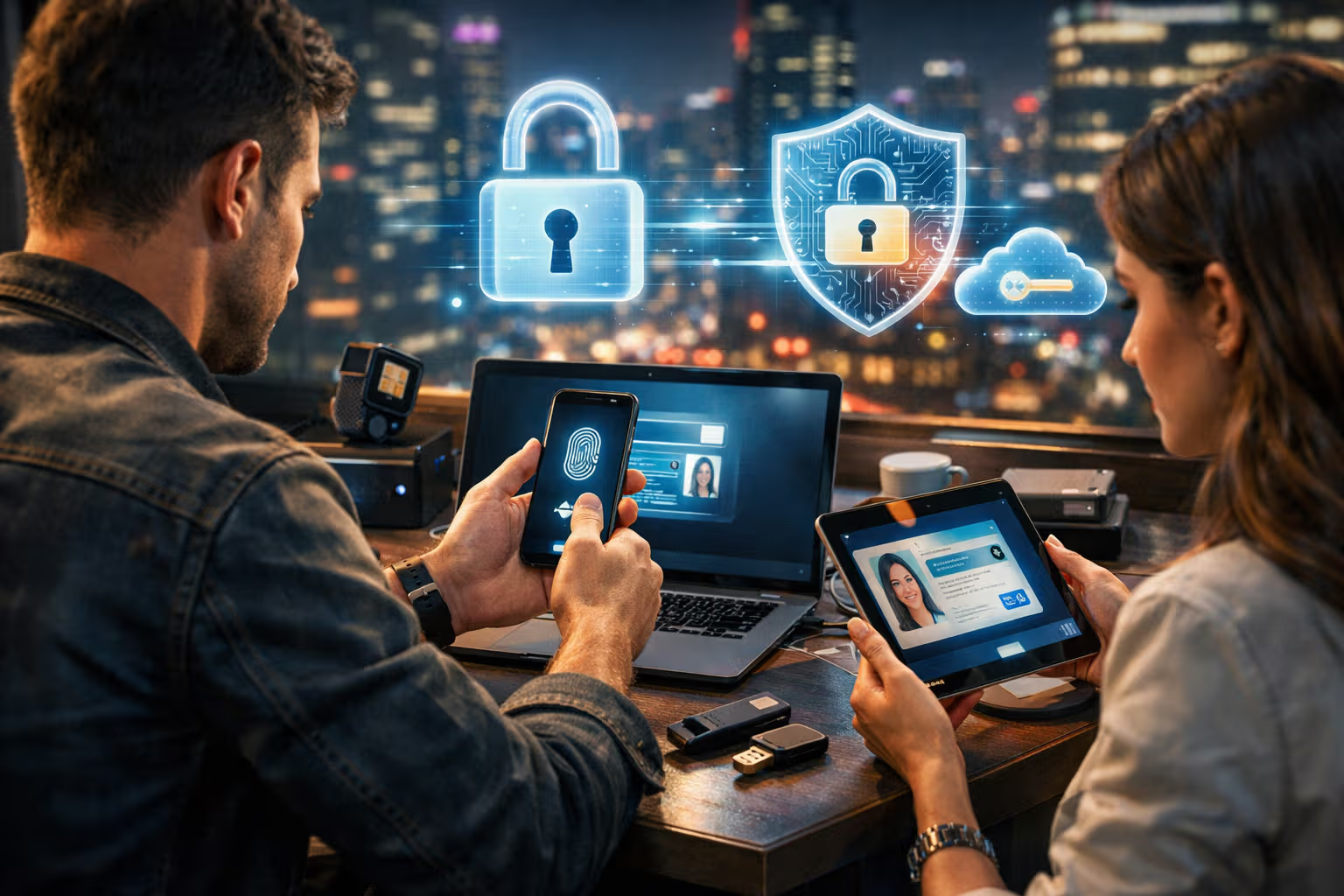
The Future of the Internet Without Passwords: Passkeys and Digital Identity
I have 847 passwords. I know this because my password manager tells me so, with a mixture of pride and concern. Eight hundred forty-seven unique strings of characters, each supposedly protecting some slice of my digital life. Some I created last week. Some date back to services I haven’t used in a decade but can’t quite bring myself to delete.
My British lilac cat, Mochi, has no passwords. She authenticates through presence—if she’s in the room and wants food, she makes her identity known through insistent vocalizations. No one has ever successfully impersonated her to steal her treats. Her security model, while primitive, has a zero percent breach rate.
The password, that venerable institution of digital security, is dying. Not quickly—technological deaths rarely are—but definitively. After decades of incremental patches (longer passwords, special characters, password managers, two-factor authentication), the industry has finally admitted what users always knew: passwords are a terrible solution to the authentication problem. The replacement is called passkeys.

This article explores the passwordless future that’s already arriving. We’ll examine what passkeys are, how they work, why they’re genuinely more secure than passwords, and how to start using them today. Not as abstract security theory, but as practical technology you can adopt now for a meaningfully better digital life.
The transition from passwords to passkeys represents one of the most significant security improvements available to ordinary users. Understanding it matters.
The Problem with Passwords
We’ve lived with passwords so long that we’ve normalized their dysfunction. Let’s enumerate the problems:

Passwords Are Shared Secrets
When you create a password, you share it with the service you’re authenticating to. The service stores a version of that password (hopefully hashed, but sometimes not). Now the secret exists in two places: your memory (or password manager) and their database.
This architecture guarantees breaches. Every service that stores passwords becomes a target. Every breach exposes passwords that users have likely reused elsewhere. The Have I Been Pwned database contains over 12 billion compromised credentials. Twelve billion. The shared secret model is fundamentally broken.
Passwords Are Phishable
A clever attacker can create a fake login page that looks identical to the real one. You type your password. They capture it. You’ve just handed over your authentication credential to someone who will misuse it.

Phishing works because passwords are just text. Text can be typed anywhere, including places that aren’t legitimate. No amount of user education has solved phishing because the fundamental vulnerability—passwords are copyable—can’t be educated away.
Passwords Create Impossible Tradeoffs
Strong passwords are hard to remember. Memorable passwords are easy to crack. The solution—using a password manager with unique strong passwords everywhere—is genuinely excellent, but most users don’t do it. They reuse passwords, choose weak passwords, or write them down insecurely.
Security professionals have spent decades blaming users for these behaviors. The more honest assessment: we designed a system that requires inhuman behavior (memorizing hundreds of unique random strings) and then blamed humans for not being inhuman.

Passwords Add Friction Without Proportional Security
Every password prompt is a friction point. Users must remember, retrieve, or type credentials. This friction accumulates across hundreds of services. Yet despite all this friction, passwords provide mediocre security at best. We’ve optimized for annoyance while failing at protection.
Two-Factor Authentication Is a Patch, Not a Solution
2FA improves password security by requiring a second factor—typically a code from a phone or authenticator app. It works, but it’s a patch on a broken foundation. Now you need a password AND a second device. The friction doubles. The fundamental password problems remain.
Mochi has observed my password frustrations for years. She’s watched me type, retype, and reset passwords countless times. She’s watched me receive password breach notifications. Her expression suggests she finds the whole system as ridiculous as I do, though her actual thoughts probably concern when her next meal arrives.

What Are Passkeys?
Passkeys replace shared secrets with public-key cryptography. Instead of sharing a password with a service, you generate a cryptographic key pair: a private key that stays on your device and a public key that the service stores.
When you authenticate, your device proves it holds the private key without ever transmitting it. The service verifies this proof using your public key. No secret crosses the network. No credential exists to be phished. No database contains anything useful to attackers.
This isn’t new technology—public-key cryptography has existed since the 1970s. What’s new is the standardization and user experience work that makes it practical for regular people. The FIDO Alliance (an industry consortium including Apple, Google, Microsoft, and others) developed the standards. Operating system vendors implemented them. Major services adopted them. The infrastructure is finally ready.

How Authentication Works
When you create an account with passkeys, your device generates a key pair. The private key is stored securely—in your device’s secure enclave, TPM, or equivalent hardware protection. The public key is sent to the service.
When you sign in, the service sends a challenge—random data that must be signed. Your device signs the challenge with your private key and sends back the signature. The service verifies the signature using your stored public key. If it matches, you’re authenticated.
This flow is invisible to users. You see a prompt asking you to authenticate with biometrics (Face ID, Touch ID, fingerprint, or Windows Hello) or a device PIN. You authenticate. You’re signed in. No password typed, no secret transmitted, no credential to phish.

Synchronization Across Devices
Early FIDO standards required the private key to stay on a single device. Lose the device, lose access. This was secure but impractical for normal users.
Passkeys solve this through synchronization. Apple syncs passkeys through iCloud Keychain. Google syncs through Google Password Manager. Microsoft is implementing similar functionality. Your passkeys exist across all your devices, protected by your platform account’s security.
This synchronization involves encrypted transfer of private keys—a slight compromise of the “key never leaves device” purity. But the practical security improvement is enormous. Users actually adopt technology that works with their lives. Impractical perfection loses to practical improvement.
flowchart TD
    A[Traditional Password Flow] --> B[User Creates Password]
    B --> C[Password Sent to Server]
    C --> D[Server Stores Password Hash]
    D --> E[Password Exists in Two Places]
    E --> F[Vulnerable to Breaches & Phishing]

    G[Passkey Flow] --> H[Device Generates Key Pair]
    H --> I[Public Key Sent to Server]
    I --> J[Private Key Stays on Device]
    J --> K[Authentication via Cryptographic Proof]
    K --> L[No Secret Ever Transmitted]
How We Evaluated: A Step-by-Step Method
To assess passkeys practically, I conducted hands-on evaluation:
Step 1: Inventory Current Password Usage
I documented all services where I have accounts, categorizing by importance (critical, important, minor) and current authentication method (password only, password + 2FA, passkey available).
Step 2: Enable Passkeys Where Available
For every service offering passkeys, I enabled them. This included major platforms (Google, Apple, Microsoft), financial services adopting early, and various other services.

Step 3: Track Daily Experience
Over three months, I tracked authentication experiences: time to sign in, friction encountered, errors experienced, and overall satisfaction.
Step 4: Test Recovery Scenarios
I deliberately tested failure modes: new device setup, lost device scenarios, cross-platform authentication. Understanding edge cases reveals practical usability.
Step 5: Assess Security Properties
I examined the actual security properties of my passkey implementations: where keys are stored, how they’re protected, what synchronization involves.

Step 6: Compare to Password Manager Baseline
I maintained my password manager for services without passkey support. This allowed direct comparison between passkey authentication and well-managed password authentication.
The results inform the practical guidance in this article.
The Actual User Experience
Let’s talk about what using passkeys actually feels like:
Creating a Passkey

You’re signing up for a service or enabling passkeys on an existing account. The service prompts you to create a passkey. Your device asks for biometric authentication or PIN. You authenticate. Done.
The entire process takes perhaps five seconds. No choosing a password. No meeting complexity requirements. No hoping you’ll remember it later. The device handles everything.
Signing In With a Passkey
You visit a site. Instead of a password field, you see a “Sign in with passkey” option. You click it. Your device prompts for biometric authentication. You authenticate. You’re signed in.
On my iPhone, this means looking at the screen (Face ID). On my Mac, it means touching the fingerprint sensor. On Windows, it means the Windows Hello prompt. Each takes about one second.

The Cross-Platform Experience
Here’s where things get interesting. You’re on a computer that doesn’t have your passkeys—maybe a friend’s laptop or a public terminal. You can still authenticate using a passkey from your phone.
The site displays a QR code. You scan it with your phone. Your phone prompts for authentication. You authenticate. The computer signs you in. Your private key never touched the untrusted computer—it remained on your phone.
This flow sounds complicated but executes quickly. It’s also dramatically more secure than typing your password on an untrusted device, where keyloggers could capture it.
The Friction Reduction

My average password sign-in, even with a password manager, took about 8 seconds: click password field, invoke password manager, authenticate to password manager, select credential, wait for fill, submit. With 2FA, add another 10-15 seconds for code retrieval.
My average passkey sign-in takes 2-3 seconds: click sign in, biometric prompt, authenticated. The time savings compound across hundreds of authentications per month.
Beyond time, there’s cognitive friction. Password authentication requires attention: is this the right credential, am I on the real site, did the form fill correctly? Passkey authentication requires minimal attention: look at phone, done. The mental load reduction is substantial.
Why Passkeys Are Actually More Secure
The security benefits are genuine, not just marketing:

Phishing Resistance
Passkeys are bound to specific domains. A passkey created for google.com won’t authenticate to googel.com (a phishing domain). The browser and operating system enforce this—you can’t manually override it.
This makes phishing dramatically harder. Attackers can still create fake sites, but those sites can’t use your passkeys. The authentication simply won’t work on the wrong domain.
No Credentials to Breach
Services store public keys, not passwords. A database breach reveals public keys that are… public. They’re useless for impersonation. There’s no credential to steal.

This eliminates the entire category of credential stuffing attacks, where attackers use breached passwords to access other services. No passwords means no password breaches means no credential stuffing.
Hardware-Backed Protection
Private keys live in secure hardware: Apple’s Secure Enclave, Android’s Titan chip, Windows TPM. This hardware is specifically designed to prevent key extraction. Even malware on your device can’t easily steal the private key—it can only request signatures, which require your biometric authentication.
This is fundamentally different from passwords stored in memory or files, which malware can directly access.
No Reuse Across Services
Each passkey is unique to a specific service. You can’t reuse them even if you wanted to. This eliminates password reuse vulnerabilities entirely.
User Experience and Security Align
Here’s the profound shift: with passkeys, the most convenient option is also the most secure option. You don’t have to choose between easy and safe. Easy IS safe.
This alignment matters enormously. Security that requires users to behave inconveniently fails. Security that makes the convenient path the secure path succeeds. Passkeys achieve this alignment.

flowchart LR
    A[Attack Type] --> B{Password Vulnerable?}
    A --> C{Passkey Vulnerable?}
    B -->|Yes| D[Phishing]
    B -->|Yes| E[Database Breach]
    B -->|Yes| F[Credential Stuffing]
    B -->|Yes| G[Keylogger]
    B -->|Partial| H[Device Theft]
    C -->|No| D
    C -->|No| E
    C -->|No| F
    C -->|Partial| G
    C -->|Partial| H
Generative Engine Optimization
The shift to passkeys has interesting implications for how digital identity interacts with AI systems.

Identity Verification for AI
As AI systems become more capable and prevalent, verifying human identity becomes more important. Passkeys provide cryptographic proof that a specific device (tied to a specific person) is making a request. This proof is harder to fake than passwords, which bots can simply type.
Services implementing AI features increasingly require strong authentication. Passkeys provide that strength without friction. The passwordless future and the AI future are interlinked—both require robust identity.
Content Attribution
For content creators concerned with GEO, identity verification matters. Content attributed to verified identities may receive different credibility assessments than anonymous content. Passkeys could eventually enable content signing that proves authorship cryptographically.

This isn’t implemented yet, but the infrastructure for it exists. A passkey-signed piece of content could prove it came from a specific verified identity. AI systems could use this signal when assessing content credibility and attribution.
Privacy Implications
Passkeys are designed to prevent cross-service tracking. Each service gets a different public key—there’s no common identifier that services can use to correlate your activity. This privacy property matters in an AI-mediated world where data aggregation enables ever-more-detailed profiling.
The passwordless future could be either privacy-enhancing or privacy-reducing, depending on implementation. Passkeys, as designed, favor privacy. Whether that design survives commercial pressure remains to be seen.

The Current Adoption Landscape
Where can you actually use passkeys today?
Major Platforms
Google, Apple, and Microsoft all support passkeys for their primary accounts. Amazon, eBay, PayPal, and many major services have adopted them. The coverage is substantial and growing rapidly.
GitHub supports passkeys, which matters for developers. LinkedIn, Best Buy, Kayak, and others have joined. The FIDO Alliance maintains an adoption tracker showing hundreds of services.

Financial Services
Banks are traditionally conservative about authentication changes, but passkey adoption is accelerating. Several major US banks now support passkeys. The security improvement over passwords is so clear that risk-averse institutions are moving quickly.
The Long Tail
Small services lag behind. Your local newspaper’s login, the obscure forum you’ve used since 2008, the niche SaaS tool your team relies on—these may take years to adopt passkeys. The password manager isn’t going away immediately.
This creates a hybrid period where you use passkeys where available and passwords where not. Password managers remain essential for the transition period.

Platform Support
iOS 16+, macOS Ventura+, Android 9+, and Windows 11 all support passkeys natively. Older operating systems can still use passkeys through browser implementations, though the experience is less seamless.
If your devices are reasonably current, you can use passkeys today without any special software.
Practical Migration Guide
Ready to start? Here’s how:
Step 1: Check Your Platform

Ensure your devices support passkeys. iPhone with iOS 16+, iPad with iPadOS 16+, Mac with macOS Ventura+, Android 9+, or Windows 11. If you’re behind, update your OS or use a passkey-capable password manager like 1Password or Dashlane.
Step 2: Enable Platform Keychain
On Apple devices, ensure iCloud Keychain is enabled in Settings > [Your Name] > iCloud > Passwords and Keychain. On Android, ensure Google Password Manager is active. This enables passkey synchronization across your devices.
Step 3: Start With Important Accounts
Begin with your most critical accounts: email, financial services, cloud storage. Check each service’s security settings for passkey options. They’re often labeled “Passkeys,” “Sign in without password,” or “FIDO2.”

Step 4: Create Passkeys When Prompted
Many services now prompt you to create a passkey when you sign in with a password. Accept these prompts. The passkey creation process takes seconds.
Step 5: Don’t Delete Passwords Yet
Keep your password manager and existing passwords during the transition. Some scenarios still require passwords: signing in on devices that don’t have your passkeys, account recovery, and services that don’t support passkeys.
Step 6: Audit Regularly
Periodically check your password manager for accounts that now support passkeys. The ecosystem evolves rapidly. An account that required passwords six months ago might support passkeys today.

The Remaining Challenges
Passkeys aren’t perfect. Understanding the limitations helps set realistic expectations:
Recovery Complexity
What happens if you lose all your devices? With passwords, you could reset via email. With passkeys tied to devices, recovery is more complex.
Platform vendors address this through cloud synchronization—your passkeys exist in iCloud, Google, or Microsoft’s cloud, recoverable to a new device. But this creates dependence on platform accounts. Lose access to your Apple ID, and you might lose your passkeys.

Careful platform account security becomes even more important in a passkey world. Your Apple ID or Google account becomes the master key to everything. Protect it accordingly.
Cross-Platform Friction
Passkeys sync within ecosystems but not across them. Apple passkeys sync to Apple devices. Google passkeys sync to Android devices. If you use both ecosystems, you manage separate passkey sets.
Cross-platform solutions are emerging. 1Password, Dashlane, and other password managers now store passkeys, providing cross-platform synchronization. But this adds another dependency.

Corporate and Shared Devices
Passkeys assume personal devices. Corporate environments with shared workstations, public computer access, and complex device management face adoption challenges.
Solutions exist—hardware security keys (like YubiKeys) provide passkey functionality without device binding. But these add physical tokens to manage.
Legacy Service Support
Many services, especially smaller ones, don’t support passkeys yet. You’ll maintain a password manager for years while the long tail catches up. The passwordless future arrives gradually, not suddenly.

User Education
Passkeys are new. Users need to understand what they are, why they’re better, and how to use them. The technology is simpler than passwords, but the unfamiliarity creates friction. Education and familiarity-building take time.
Mochi requires no education about authentication. She presents herself; her identity is recognized; treats follow. The simplicity of physical presence authentication has much to recommend it, even if it doesn’t scale to digital systems with billions of users.
The Broader Digital Identity Picture
Passkeys are one component of a larger shift in digital identity:

Decentralized Identity
Beyond passkeys, decentralized identity initiatives aim to give users control over their identity credentials. Instead of each service maintaining its own account database, users hold verifiable credentials that they present as needed.
Passkeys and decentralized identity complement each other. Passkeys provide the authentication mechanism; decentralized identity provides the credential management layer. Both move control toward users and away from centralized services.
Government Digital Identity
Many countries are implementing digital identity systems that let citizens prove their identity online for government services. These systems increasingly integrate with passkey standards, creating paths toward universal digital identity that works across government and commercial services.

The Privacy Tension
More robust digital identity enables more reliable verification, which enables more surveillance capability. The same technology that prevents fraud can enable tracking. How this tension resolves depends on policy choices and technical architecture decisions being made now.
Passkeys themselves are privacy-preserving—different keys per service, no cross-service correlation. But passkeys could be combined with identity systems that are not privacy-preserving. The outcome isn’t determined by technology alone.
What This Means for Developers
If you build software, passkey support matters:
Implementation Complexity
Implementing passkeys is more complex than implementing password authentication. You need to understand WebAuthn, handle key registration and authentication flows, and manage the edge cases (multiple passkeys per account, recovery scenarios, cross-device authentication).
Libraries and services abstract much of this complexity. Auth0, Firebase, and similar services provide passkey support. Platform-native implementations handle the cryptographic details. But integration still requires developer effort.
The Transition Period
You’ll need to support both passwords and passkeys during transition. This means maintaining both authentication systems, providing migration paths for existing users, and handling the UI complexity of offering multiple authentication options.

User Experience Design
Passkey UX differs from password UX. Sign-up flows change. Sign-in flows change. Account recovery changes. Thoughtful UX design helps users understand and adopt the new patterns.
Security Model Changes
With passkeys, you don’t store secrets. Breach impact changes. Threat models shift. Security practices need updating. The good news: many security problems simply disappear. The caution: new problems may emerge.
The Timeline Ahead

Looking forward, here’s what I expect:
2026-2027
Passkey support becomes expected for major services. Users start asking why services don’t support passkeys. The hybrid password/passkey period continues but tilts toward passkeys.
2028-2030
Passkeys become the default authentication for new accounts on most major services. Password-only authentication starts feeling outdated. Enterprise adoption accelerates as tools mature.

2030+
Passwords become legacy technology, supported for compatibility but not recommended. New users may never create traditional passwords. The password manager becomes a legacy tool for old accounts.
This timeline could compress with faster adoption or extend with unforeseen obstacles. The direction is clear; the pace is uncertain.
Conclusion
The password has served the internet for decades. It was never a good solution—just the solution we had. Every year brought new patches for its fundamental flaws: longer passwords, complexity requirements, managers, 2FA. None addressed the core problem: shared secrets are bad architecture for authentication.

Passkeys finally address the core problem. No shared secrets. No phishable credentials. No database of passwords to breach. The most convenient option is also the most secure. After decades of security versus usability tradeoffs, we get both.
The transition takes time. Services must implement support. Users must adopt new habits. The long tail of password-only services will persist for years. But the trajectory is clear. The passwordless future isn’t coming—it’s here, expanding daily.
Start using passkeys where you can. Keep your password manager for where you can’t. Watch adoption spread. Eventually, you’ll realize you haven’t typed a password in weeks. That’s the future arriving, one authentication at a time.

Mochi has concluded her observation of this article with a slow blink of approval—or possibly sleepiness; it’s hard to tell with cats. She’s never needed passwords. Her authentication system—physical presence verified by familiar humans—has worked flawlessly for her entire life.
Our digital systems are finally catching up to her wisdom: the best authentication is the kind you don’t have to think about. Passkeys make that possible. The eight hundred forty-seven passwords in my manager will gradually become historical artifacts, curiosities from an era when we made security hard because we didn’t know how to make it easy.
That era is ending. The future is passwordless. And it’s better.