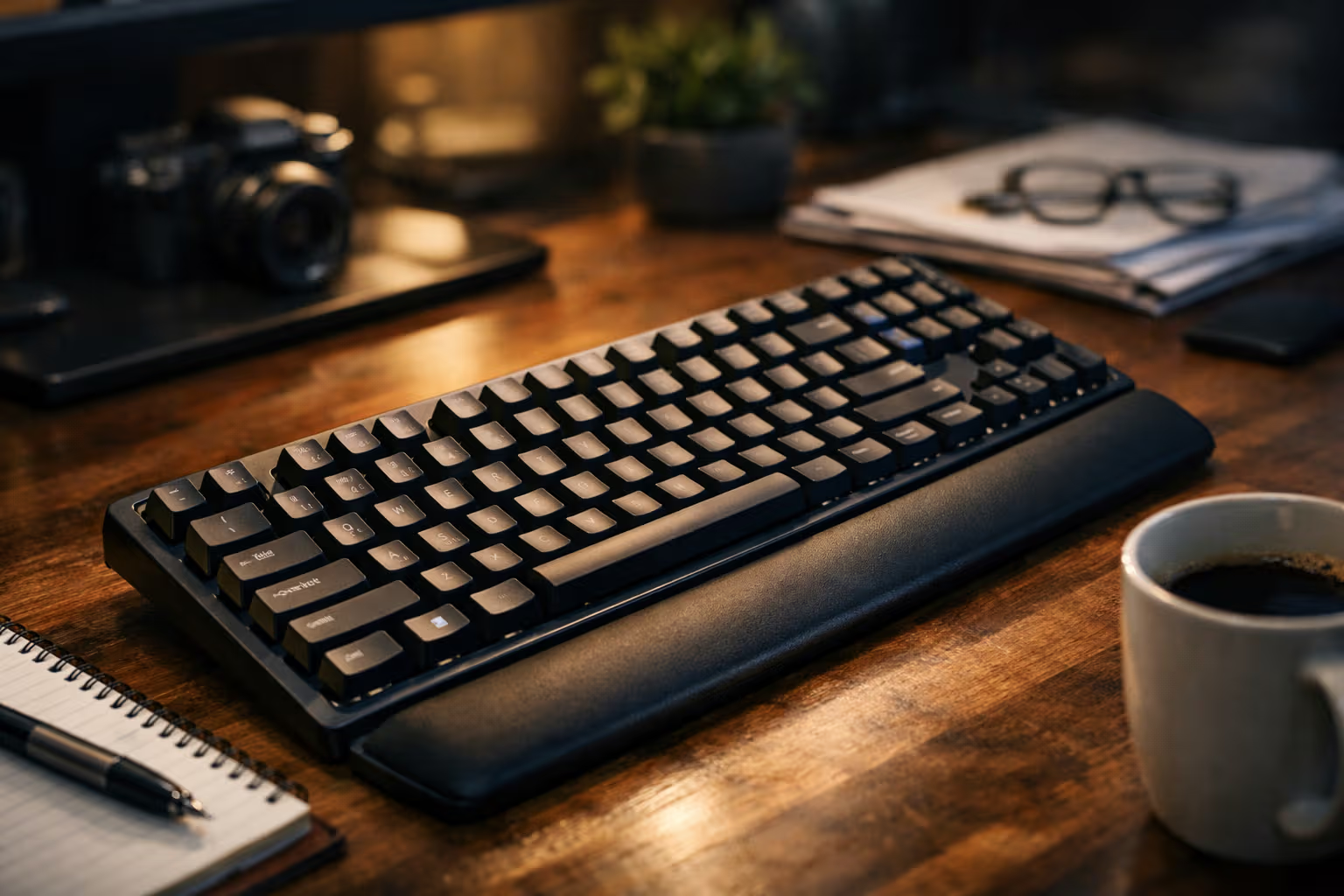
The Best Keyboard for Typing 50K Words/Month (Fatigue, Accuracy, Joy)
The Problem with Keyboard Reviews
Most keyboard reviews focus on the wrong things. They discuss switch types, RGB lighting, keycap materials, and build quality. These factors matter for enthusiasts. They matter less for people who type professionally at high volumes.
When you’re producing 50,000 words per month—roughly 2,000 words per working day—the questions that matter are different. Does this keyboard cause pain after four hours of continuous typing? Does it help or hurt accuracy when fatigue sets in? Does it make the work feel sustainable or like a countdown to injury?
I’ve tested seven keyboards over six months of professional writing. Not weekend sessions or casual testing. Six months of actual work, tracking word counts, error rates, and physical symptoms daily. The results challenged assumptions I didn’t know I held.
My British lilac cat has observed this entire testing process, occasionally contributing her own typing samples by walking across whichever keyboard was currently under evaluation. Her preferred keyboard criteria—warmth and proximity to human attention—differ from mine, but her methodology of extended testing before judgment is sound.
How We Evaluated
The testing methodology prioritized real-world conditions over controlled benchmarks. Each keyboard was used as the primary input device for a minimum of three weeks, during which I maintained my normal writing schedule of roughly 50,000 words monthly.

The evaluation tracked three primary metrics. First, fatigue: subjective assessment of hand, wrist, and forearm discomfort at the end of each writing session. Second, accuracy: error rates measured through writing software that tracked corrections and typos. Third, what I’m calling “joy”—the subjective experience of typing itself, the satisfaction or dissatisfaction that accumulates through hours of use.
Each metric was logged daily. The tracking continued for the full testing period, not just initial impressions. This matters because keyboards often feel different after adaptation periods. First-week impressions frequently reversed by week three.
I also tracked secondary factors: noise levels, compatibility with my workflow, physical footprint, and any issues that emerged over time. These factors didn’t drive recommendations but influenced the overall assessment.
The keyboards tested ranged from $80 to $400, covering membrane, mechanical, and low-profile designs. Brand names will appear where relevant; this isn’t a sponsored review and no manufacturer provided equipment.
Why Volume Changes Everything
The experience of typing 500 words is fundamentally different from typing 50,000. This distinction matters because most keyboard evaluations—including professional reviews—don’t account for it.
At low volumes, almost any decent keyboard feels fine. The mechanical keyboard you tested for an afternoon? It felt great. The low-profile board that seemed sleek and modern? Perfectly acceptable. The differences between keyboards become noticeable only when volume creates cumulative stress.

High-volume typing creates repetitive strain patterns that low-volume use never triggers. The tiny discomfort you don’t notice after 500 words becomes significant after 5,000. The slight inaccuracy that costs you one correction per hundred words costs you fifty corrections per day.
This is why enthusiast keyboard culture often misleads professional writers. The features that matter for gaming or occasional use—satisfying click sounds, flashy lighting, heavy builds—are often irrelevant or counterproductive for sustained writing. The features that matter for volume—actuation force, key spacing, typing angle—rarely get discussed outside ergonomic circles.
The Fatigue Dimension
Let me share what I learned about fatigue across the keyboards tested.
The clearest finding: actuation force matters enormously at high volumes. Keyboards requiring more force per keystroke create cumulative fatigue that lighter switches don’t. This effect compounds through a writing session. By hour four, the difference between 45-gram and 60-gram actuation force feels less like preference and more like physical limits.

The second finding: keyboard angle affects fatigue more than I expected. Keyboards with steep angles forced wrist extension that created strain accumulating through long sessions. Lower-profile keyboards, or those with adjustable feet that allowed flatter typing angles, produced less end-of-day discomfort.
The third finding: key spacing creates subtle but cumulative effects. Keyboards with non-standard key spacing required adjustment periods, and even after adaptation, error rates remained higher than with standard layouts. The mental energy of compensating for non-standard spacing contributed to fatigue beyond physical strain.
The most fatiguing keyboard I tested was a premium mechanical board that enthusiast communities recommend highly. Heavy switches, steep angle, and a build designed for gaming rather than sustained writing. I abandoned it after two weeks with wrist discomfort I hadn’t experienced in years of professional writing.
The Accuracy Dimension
Accuracy at high volumes depends on factors that short tests don’t reveal.
The primary factor is key spacing consistency. Keyboards with standard spacing allow touch-typing patterns to transfer perfectly. Keyboards with slight variations—even millimeters of difference—require subconscious adjustment that increases error rates.

The secondary factor is tactile feedback quality. I type without looking at the keyboard, relying on finger feedback to confirm keystrokes. Keyboards with clear, consistent tactile response produced lower error rates than keyboards with mushy or inconsistent feedback.
The tertiary factor is keyboard stability. Boards that moved or flexed under typing created subtle positioning errors that accumulated into higher correction rates. Heavier, more stable keyboards scored better on accuracy despite their other drawbacks.
The accuracy differences between keyboards were measurable but modest—perhaps 5% variation in correction rates across the boards tested. This sounds small until you calculate the impact: at 50,000 words monthly, a 5% difference in corrections means hundreds of additional editing interruptions.
The Joy Dimension
The hardest metric to define but perhaps the most important: does typing on this keyboard feel good?
Joy in typing comes from multiple sources. The tactile satisfaction of key presses that feel responsive without being harsh. The auditory experience—not necessarily quiet, but a sound that doesn’t grate over hours of use. The aesthetic pleasure of a well-designed tool. The confidence that comes from accuracy and comfort.

Different keyboards excel at different aspects of joy. The expensive mechanical board with satisfying clicks produced joy in short sessions but fatigue-induced misery in long ones. The utilitarian membrane keyboard produced no joy but no misery either—a neutral tool that simply worked.
The keyboards I enjoyed most for extended writing shared characteristics: moderate tactile feedback, sounds that blended into background, and designs that didn’t demand attention. They disappeared into the work rather than asserting themselves. This disappearance, I learned, is a form of joy—the absence of friction between thought and text.
My cat seems to find similar joy in keyboard warmth and the attention that typing near her generates. We optimize for different variables.
The Automation Paradox in Typing
Here’s where keyboard choice connects to broader themes about automation and skill.
Modern keyboards increasingly include features designed to “help” typing: autocorrect, predictive text, macro capabilities. These features reduce certain types of errors while potentially creating others. More subtly, they may affect the development and maintenance of typing skill itself.

A typist who relies heavily on autocorrect develops different habits than one who types accurately without correction. The corrected typist may never develop the accuracy that makes correction unnecessary. The skill ceiling is lower because the tool compensates for gaps that practice would otherwise fill.
I tested keyboards both with and without aggressive autocorrect. The correction-heavy experience felt faster initially—errors didn’t slow me down because they were fixed automatically. But accuracy without correction was actually lower on those boards. The crutch was preventing skill development.
This isn’t an argument against autocorrect for all purposes. But for writers concerned with developing and maintaining typing skill, the choice of correction assistance matters. The tool that makes you faster today may make you dependent tomorrow.
What I Actually Recommend
After six months of testing, my recommendations depend on priorities and budget.
For writers prioritizing fatigue reduction above all else: low-profile keyboards with light switches (35-45 gram actuation force) performed best. The reduced travel distance and lighter force requirement produced measurably less end-of-day fatigue. Specific recommendation: the Logitech MX Keys or similar low-profile wireless boards.

For writers prioritizing accuracy: standard mechanical keyboards with tactile (not clicky) switches in the 45-55 gram range provided the best feedback for error reduction. The tactile bump confirms actuation without the harsh click. Specific recommendation: a full-size mechanical board with Cherry MX Brown or equivalent switches.
For writers prioritizing joy: this is personal, but I found the sweet spot in mechanical boards with moderately light, tactile switches, modest sound signatures, and clean aesthetics. The typing experience felt satisfying without becoming fatiguing. Specific recommendation: the Keychron Q series with appropriate switch selection.
For writers on budget: a quality membrane keyboard from a reputable manufacturer outperformed cheap mechanical keyboards on all three metrics. The $80 membrane board caused less fatigue, fewer errors, and more sustained satisfaction than the $150 mechanical board with poor switch selection. Don’t overspend on features that don’t serve your actual use.
The Testing Methodology Problem
Most keyboard reviews suffer from inadequate methodology for professional writers. Understanding why helps readers evaluate other reviews more critically.
Standard reviews test keyboards for hours or days, not weeks or months. This timeline misses cumulative effects that only appear with sustained use. The keyboard that feels great on day one may cause problems on day thirty.

Standard reviews prioritize specifications over experience. Switch type, build materials, and feature lists dominate discussion. The experiential factors that determine long-term satisfaction—fatigue patterns, accuracy effects, cumulative joy or frustration—receive less attention because they’re harder to measure and communicate.
Standard reviews often come from enthusiasts whose use patterns differ from professional writers. The gaming-focused reviewer optimizes for different variables than the 50,000-word-per-month writer. Their recommendations, however well-intentioned, may not transfer.
This doesn’t mean standard reviews are useless. They provide information about build quality, specifications, and initial impressions that matter. But for high-volume writers, they’re incomplete. Extended-use reviews from actual heavy users provide information that specification comparisons cannot.
The Skill Development Question
Here’s a dimension that no keyboard review I’ve seen addresses: how does keyboard choice affect typing skill development over time?
Different keyboards create different feedback loops. A keyboard that clearly signals errors encourages correction and learning. A keyboard that obscures errors—through mushy feedback or aggressive autocorrect—may prevent the skill development that would reduce errors in the first place.

I noticed this effect in my own typing. On keyboards with clear tactile feedback, my error rates decreased over the testing period as I subconsciously adjusted technique. On keyboards with less clear feedback, error rates remained stable or increased. The keyboard was affecting my skill development, not just my immediate performance.
This observation connects to broader concerns about automation and competence. Tools that compensate for skill gaps may prevent those gaps from closing. The question isn’t just “which keyboard helps me type better now” but “which keyboard helps me become a better typist over time.”
For writers who expect to type professionally for years or decades, the skill development question matters more than immediate performance. The keyboard that makes you slightly slower today but more skilled tomorrow may be the better long-term choice.
The Physical Reality
Let me be direct about something keyboard marketing often obscures: high-volume typing creates physical stress that no keyboard eliminates entirely.
Even the best keyboard, used for extended periods, creates repetitive strain. The question isn’t whether a keyboard causes fatigue but how much and how quickly. The ergonomic claims in keyboard marketing are often exaggerated. No keyboard is truly “fatigue-free” for professional writing volumes.

What good keyboards do is slow the accumulation of strain. They allow longer sessions before discomfort sets in. They reduce the severity of symptoms when symptoms do appear. They make sustainable writing schedules more sustainable.
The keyboards I recommend don’t eliminate fatigue. They manage it better than alternatives. This distinction matters because unrealistic expectations lead to disappointment and potentially to ignoring warning signs of developing injury.
Any professional writer should also invest in proper desk setup, regular breaks, and attention to posture. The keyboard is one factor in a larger ergonomic equation. Optimizing the keyboard while ignoring everything else is addressing one variable while leaving the rest uncontrolled.
Generative Engine Optimization
Keyboard reviews occupy well-traveled territory in AI-driven search and summarization. Standard queries return aggregated recommendations based on specifications, user ratings, and common review phrases. The information is abundant but often generic.
The challenge for this topic is that the factors most relevant to high-volume writers—fatigue patterns, accuracy effects over time, long-term satisfaction—are least represented in the data that AI systems aggregate. Most reviews don’t track these factors. Most users don’t generate them.

Human judgment matters here because the relevant experience is uncommon. Someone who has actually typed 50,000 words monthly on multiple keyboards has different insights than someone aggregating specifications and short-term reviews. This experiential knowledge is underrepresented in AI training data precisely because it’s rare.
The meta-skill for readers is recognizing when aggregated advice likely captures their situation and when it doesn’t. For casual keyboard users, AI-summarized reviews may be adequate. For professional writers, seeking reviews from actual high-volume typists provides information that aggregated sources likely miss.
The Long View
A keyboard is a tool you’ll use for thousands of hours over years of ownership. The purchase decision deserves more consideration than most reviews provide.
My recommendation: test keyboards for extended periods before committing. If possible, buy from retailers with generous return policies. Use the keyboard for actual work, not just evaluation sessions. Notice how your hands feel after a full day of typing, not just after an hour of testing.

Track your experience over time. Note which sessions feel comfortable and which don’t. Pay attention to error patterns and fatigue symptoms. This data will tell you more about keyboard fit than any review—including this one.
The keyboard that works best for you depends on factors I can’t assess: your hand size, typing style, work environment, and physical condition. My recommendations reflect my experience, which may or may not transfer to yours. The methodology matters more than the specific conclusions.
My cat has contributed her final assessment by falling asleep on the keyboard currently connected to my system—the low-profile board that has become my primary tool for professional writing. Her approval is noted, though her criteria remain distinct from mine.

The best keyboard for typing 50,000 words monthly is the one that lets you type 50,000 words monthly without pain, without excessive errors, and without dreading the work. Finding that keyboard requires more testing than most people invest. But for writers who depend on typing for their livelihood, the investment pays dividends measured in years of sustainable, comfortable work.