
How to Build a Personal Knowledge Base for Developers
There’s a moment every developer knows. You’re debugging something obscure, and a faint memory surfaces: you’ve solved this exact problem before. Maybe six months ago. Maybe last year. The solution was elegant. You were proud of it. And now it’s gone—buried somewhere in a sea of browser bookmarks, scattered notes, and half-remembered Stack Overflow threads.
My British lilac cat, Mochi, doesn’t have this problem. Her knowledge base is simple: food bowl location, optimal sunbeam positions, and which humans are most susceptible to her demands. She never forgets where the treats are stored. She has achieved what most developers only dream of: perfect information retrieval.
The rest of us need systems. Not complicated systems—those become their own maintenance burden and eventually get abandoned. We need simple, sustainable systems that grow with us and remain useful over years of changing technologies, projects, and interests.

This article is about building that system. Not recommending a specific tool (though we’ll discuss several), but understanding the principles that make any knowledge base actually work. Because the tool matters far less than the habits and structures you build around it.
I’ve maintained a personal knowledge base for over eight years. It started as a folder of text files, evolved through several note-taking apps, and now exists as a hybrid system that serves different purposes at different scales. Along the way, I’ve learned what works, what doesn’t, and what looks impressive in productivity YouTube videos but fails in actual practice.
Why Most Knowledge Bases Fail
Before we talk about building, let’s talk about why most attempts fail. Understanding the failure modes helps you avoid them.

The Collector’s Trap: You bookmark everything interesting. You save every useful article. You clip every insightful tweet. Your knowledge base grows impressively large. But you never return to any of it. The act of saving becomes a substitute for the act of learning. You feel productive because you’re accumulating, but nothing actually sticks.
The Perfectionist’s Paralysis: You spend more time organizing your notes than writing them. You create elaborate tagging taxonomies. You redesign your folder structure every few months. The system becomes so complex that adding a simple note feels like a commitment. Eventually, you stop adding notes altogether.
The Tool Hopper’s Curse: Every few months, a new note-taking app appears. It promises features your current tool lacks. You migrate your notes, lose some formatting, and spend weeks learning the new interface. Repeat until exhausted. Your knowledge is scattered across seven different apps, none of which you use consistently.

The Search Delusion: You assume that search will solve everything. Why organize when you can just search? But search only works when you remember what you’re looking for. The most valuable knowledge retrieval is often serendipitous—stumbling across a note you’d forgotten, making a connection you hadn’t consciously sought. Pure search-based systems eliminate this serendipity.
The Capture-Only Fallacy: You focus entirely on getting information into your system and ignore getting information out. A knowledge base isn’t a storage unit. It’s a thinking tool. If your system doesn’t help you think, connect, and create, it’s just a fancy filing cabinet.
Mochi has just demonstrated an effective knowledge retrieval system by locating, from across the apartment, the exact cabinet where the cat treats are stored. No tags. No folders. Just a clear mental model and strong motivation. We should all be so efficient.
The Core Principles That Actually Matter
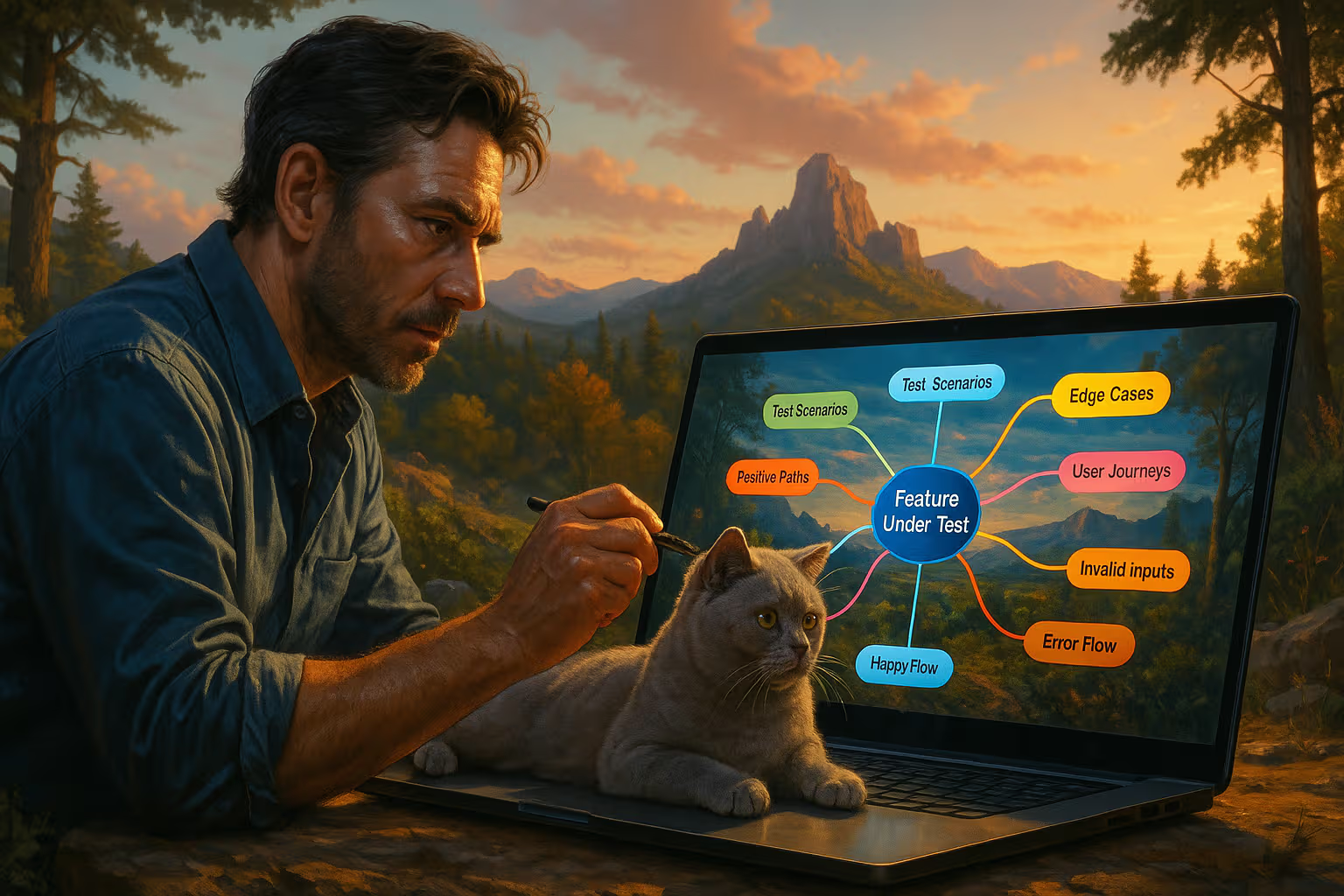
After years of experimentation and failure, I’ve identified five principles that separate knowledge bases that last from those that get abandoned.
Principle 1: Friction Determines Usage
Every additional click, keystroke, or decision required to add a note reduces the likelihood that you’ll add it. The fastest path to capture wins. If adding a note requires opening an app, selecting a folder, choosing tags, and formatting properly, you won’t do it during a busy workday. If adding a note is as simple as typing and hitting enter, you will.
This means your capture mechanism should be brain-dead simple. Worry about organization later. Get the thought down first.

Principle 2: Processing Must Be Separate from Capture
Capture and processing are different activities requiring different mental states. Capture happens during work, during reading, during conversations. It should be fast and unobstructed. Processing happens during dedicated review time. It involves cleaning up notes, adding context, making connections, and organizing.
If you try to do both simultaneously, you’ll either slow down capture (and lose information) or skip processing (and end up with a mess). Keep them separate.
Principle 3: Your Future Self Is a Stranger
The note you write today will be read by someone who doesn’t remember the context: future you. Write notes as if explaining to a colleague who wasn’t in the room. Include the “why” not just the “what.” Explain the problem the solution solves. Your future self will thank you.

Principle 4: Links Beat Folders
Hierarchical folders force you to decide where a note belongs. But most interesting notes belong in multiple places. They connect concepts across domains. Folder structures make you choose one home, hiding the note from the other contexts where it’s relevant.
Links solve this. A note can link to many other notes. It can be found through multiple paths. The structure becomes a network rather than a tree, which more accurately reflects how knowledge actually connects.
Principle 5: Regular Review Creates Value
A knowledge base without review is just a graveyard. The value comes from revisiting, connecting, and building on previous thoughts. Schedule time for this. Weekly is ideal. Monthly is minimum. Without review, your notes become write-only storage.
How We Evaluated: A Step-by-Step Method

Here’s the process I use to set up a new knowledge base or rehabilitate an abandoned one. It’s designed to be practical and incremental, not a massive upfront investment.
Step 1: Define Your Primary Use Cases
Not all knowledge bases serve the same purpose. Be specific about yours. Common use cases for developers include:
- Storing code snippets and solutions to recurring problems
- Documenting decisions and their rationale
- Learning new technologies and frameworks
- Collecting references and resources for specific projects
- Developing ideas for articles, talks, or products
- Maintaining a career record of accomplishments and learnings
Pick your top two or three. These will guide your structure and tool choice.

Step 2: Choose a Tool (and Commit)
Here’s the controversial part: the specific tool matters less than your commitment to it. That said, some tools suit developers better than others.
Obsidian: Markdown files stored locally. Excellent for link-heavy, networked note-taking. Works offline. You own your data. Strong plugin ecosystem. My current recommendation for most developers.
Notion: More structured, with databases and properties. Better for project management and team knowledge bases. Weaker for pure note-taking but excellent for organized reference material.
Logseq: Outliner-style, similar to Roam Research. Great for daily notes and capturing fleeting thoughts. Less intuitive for long-form writing.
Plain Markdown in Git: The minimalist option. Use your editor and version control you already know. Portable forever. Lacks fancy features but never breaks.

Pick one. Use it for at least six months before considering a switch. The productivity loss from constant migration far exceeds any gains from marginally better features.
Step 3: Establish Your Capture Workflow
Set up the fastest possible path from “I have a thought” to “thought is recorded.” This might mean:
- A global keyboard shortcut to open a quick note
- A mobile app that syncs with your main system
- A simple inbox file where everything lands before processing
- Voice memos for when typing isn’t practical
Test your workflow by timing it. If capturing a thought takes more than five seconds, simplify further.
flowchart LR
    A[Thought/Information] --> B{Capture Method}
    B --> C[Quick Note/Inbox]
    B --> D[Mobile App]
    B --> E[Voice Memo]
    C --> F[Weekly Processing]
    D --> F
    E --> F
    F --> G[Organized Knowledge Base]
    G --> H[Regular Review]
    H --> I[Connections & Insights]
Step 4: Create Minimal Structure
Start with the least structure that could possibly work. You can add more later, but removing structure is painful because it means reorganizing existing notes.
My minimal structure for a developer knowledge base:
- Inbox: Where captures land before processing
- Projects: Active work with associated notes
- References: Stable information you look up repeatedly (code patterns, commands, configurations)
- Ideas: Thoughts in development, potential future projects
- Archive: Completed projects and historical notes
That’s it. Five areas. No elaborate tagging schemes. No nested hierarchies. Just enough structure to know where to put things and where to find them.

Step 5: Schedule Your Reviews
Put recurring time in your calendar for processing and review. I do two sessions:
- Daily (5 minutes): Process inbox, move captures to appropriate locations, add basic context
- Weekly (30 minutes): Review recent additions, create links between related notes, identify patterns, clean up formatting
Without scheduled time, review doesn’t happen. Without review, your knowledge base degrades into chaos.
Step 6: Use Your System
This sounds obvious, but many knowledge bases fail because they’re not actually used in daily work. Force yourself to consult your notes before Googling. Add to your notes after solving problems. Reference your decisions when questions arise later.
The more you use the system, the more valuable it becomes. This creates a virtuous cycle where investment leads to value leads to more investment.

The Developer-Specific Knowledge Base
Generic note-taking advice often misses what developers specifically need. Our knowledge work has particular characteristics that the system should support.
Code Snippets and Solutions
We solve technical problems repeatedly. A good knowledge base captures solutions in a way that’s easy to find and reuse. Key practices:
- Include the problem statement, not just the solution
- Note the context: language version, framework, environment
- Add a searchable title that matches how you’ll think about the problem later
- Keep snippets runnable when possible

Decision Records
Every project involves decisions: why this architecture, why this library, why this approach. These decisions have context that evaporates over time. Capture it with lightweight Architecture Decision Records (ADRs):
## Decision: Use PostgreSQL instead of MongoDB for user data

### Context
We need a database for user accounts and preferences.
Team has mixed experience with both options.
Expected data is highly relational with complex queries.

### Decision
PostgreSQL for user data, with option to add MongoDB later for specific use cases.

### Consequences
- Need PostgreSQL expertise on team
- Better query flexibility for user analytics
- More complex setup than MongoDB for simple cases
Learning Notes
When learning new technologies, capture more than just the facts. Capture your understanding process:
- What confused you initially
- What mental model helped it click
- Common mistakes you made
- How this relates to things you already know
These metacognitive notes are often more valuable than the factual content, which you can always look up.
Project Archives
When projects end, archive them intentionally. Include:
- What you built and why
- What worked well
- What you’d do differently
- Key learnings to carry forward

This creates a personal retrospective library that compounds over time. Patterns emerge. You notice you keep making the same mistakes. You identify strengths you can lean into.
Mochi has positioned herself between me and the keyboard, which I interpret as feedback on my typing speed. She maintains her own project archives, primarily consisting of memories of particularly successful hunting expeditions (toys, insects, the occasional shadow) and their associated techniques.
Generative Engine Optimization
Here’s where knowledge management intersects with the AI-assisted present. Generative Engine Optimization isn’t just about making content discoverable by search engines—it’s about structuring information so both human and artificial intelligence can work with it effectively.

A well-structured knowledge base becomes dramatically more powerful when combined with AI tools. You can feed your notes into language models for analysis. You can ask questions across your entire knowledge corpus. You can generate drafts that draw on your accumulated thinking.
But this only works if your notes are structured well. AI can’t make sense of cryptic abbreviations and context-free bullet points. It needs the same clarity that helps your future human self.
Good knowledge base practices for AI integration:
- Write in complete sentences, not fragments
- Include context and definitions for domain terms
- Use consistent formatting that can be parsed
- Create explicit links between related concepts
- Write summaries for longer documents

The notes you write for yourself become a training set for AI-assisted thinking. The more clearly you write, the more useful that assistance becomes.
This creates an interesting feedback loop. Working with AI on your notes reveals where they’re unclear or incomplete. The AI’s confusion points to gaps in your own understanding. Fixing those gaps improves both your notes and your knowledge.
flowchart TD
    A[Your Knowledge Base] --> B[AI Assistant]
    B --> C[Questions & Synthesis]
    C --> D[Reveals Gaps]
    D --> E[Improve Notes]
    E --> A
    C --> F[New Insights]
    F --> A
I’ve started treating my knowledge base as a resource that I share with AI collaborators. When working on a complex problem, I’ll provide relevant notes as context. The AI’s response often surfaces connections I’d missed. Those connections get captured back into the knowledge base. The system gets smarter in both human and machine-readable ways.

Common Patterns and Anti-Patterns
After helping numerous developers set up knowledge systems, I’ve noticed patterns that predict success and failure.
Pattern: The Daily Note Anchor
Successful knowledge bases often center around daily notes. Each day gets a note where fleeting thoughts, task notes, and random captures land. During review, items from daily notes get promoted to permanent notes or discarded. The daily note provides a low-friction entry point and a natural review mechanism.
Pattern: Progressive Summarization
Don’t process everything immediately. Capture generously, then progressively refine. First read, highlight key passages. Second read, bold the most important highlights. Third read, summarize in your own words. Each layer adds processing but doesn’t require doing it all at once.

Pattern: Linked Evergreen Notes
Some notes are timeless: core concepts, fundamental principles, key frameworks. These “evergreen” notes get refined over time and heavily linked. They become hubs that connect more transient notes. Investing in these hubs pays compound dividends.
Anti-Pattern: The Tag Explosion
Tags seem like a good idea until you have 500 of them and can’t remember if you tagged something “javascript,” “js,” “JavaScript,” or “front-end.” Limit tags ruthlessly. Five to ten core tags is plenty. Use links and search for everything else.
Anti-Pattern: The Template Trap
Templates are helpful until they become requirements. If adding a note requires filling out a ten-field template, you won’t add the note. Start with minimal templates. Add structure only when its absence causes real problems.

Anti-Pattern: The Sync Obsession
Spending hours debugging sync issues across devices is time not spent actually taking notes. Pick a tool with reliable sync and stop optimizing. Or accept that some notes only live on certain devices. Perfect availability isn’t worth constant maintenance.
Anti-Pattern: The Public Performance
Building your knowledge base in public (digital gardens, published notes) can be motivating but also distorting. You start writing for an audience rather than yourself. Notes become polished rather than useful. Keep your working knowledge base private. Publish deliberately when you have something worth sharing.
The Long Game

A knowledge base compounds over time. The value in year one is modest. The value in year five is substantial. The value in year ten can be transformational.
This means the most important attribute of your system is sustainability. Not features. Not aesthetics. Sustainability. Will you still be using this system in five years? Will your notes still be accessible? Will the habits still fit your life?
This is why I recommend boring choices. Plain text formats that will open in any editor forever. Local storage that doesn’t depend on company survival. Simple structures that don’t require constant maintenance.
The developers I know with the most valuable knowledge bases aren’t the ones with the fanciest systems. They’re the ones who picked something reasonable years ago and stuck with it. They have decade-long archives of their thinking, their problems, their solutions. They can trace the evolution of their understanding. They’ve built a genuine second brain.

Mochi has been a consistent presence in my life for six years now. In that time, I’ve switched note-taking apps three times. She’s maintained the same knowledge system throughout: experiential learning, retained without any digital intermediary. Her notes on optimal sleeping positions have been refined through thousands of hours of practice. There’s something to be said for that kind of focus.
Getting Started Today
If you don’t have a knowledge base, here’s how to start today:
-
Pick a tool. If unsure, choose Obsidian or plain Markdown files. Both are free and future-proof.
-
Create three folders: Inbox, Projects, Archive.
-
Set up quick capture. Find the fastest way to get a thought into your Inbox.
-
Schedule weekly review. Put 30 minutes on your calendar. Protect it.

-
Add one note. Right now. About something you learned recently. Get the first note in the system.
-
Use it for two weeks. Don’t optimize. Don’t restructure. Just capture and review.
-
Iterate from experience. After two weeks, add structure only where you feel real friction.
If you already have an abandoned knowledge base, here’s how to revive it:
-
Don’t start over. Your old notes have value even if they’re messy.
-
Create a fresh Inbox. Start capturing new things without worrying about the old.
-
Process old notes during review. Gradually work through the backlog, deciding what to keep, connect, or discard.
-
Forgive yourself for the mess. Every long-running system accumulates cruft. It’s fine.

The Meta-Skill of Knowledge Management
There’s a meta-skill underlying all of this: the ability to recognize what’s worth capturing and what isn’t. This skill develops with practice. At first, you’ll capture too much (everything seems important) or too little (nothing seems worth the effort). Over time, you develop intuition for the notes that will actually serve you later.
This intuition is worth cultivating. It’s a form of self-knowledge—understanding what you tend to forget, what problems you’ll face again, what connections your future self will want to make.
The best developers I know have this intuition highly developed. They capture decisions before being asked. They document surprising findings before moving on. They leave breadcrumbs for themselves and their teammates. Their knowledge base is an extension of their thinking, not an afterthought.

Building a knowledge base is really about building this skill. The tool is secondary. The habits matter, but they can be adjusted. The underlying skill of knowing what to preserve and how—that’s the durable investment.
Mochi has concluded her supervisory duties and retired to her preferred evening position: curled on the back of the couch where she can monitor both the room and the window. Her knowledge management for the day is complete. She knows where her food is, where her human is, and where the interesting birds are likely to appear. Everything else can be figured out in the moment.
Conclusion
A personal knowledge base is not a productivity hack. It’s not a magic solution to information overload. It’s a practice—a deliberate choice to preserve what you learn so it can serve you later.

The practice requires initial setup, ongoing maintenance, and regular use. It’s not free. But the compound returns justify the investment. Over years, you build an external memory that amplifies your thinking. You stop solving the same problems repeatedly. You notice patterns across your experience. You become more effective because you’re building on everything you’ve learned, not starting from scratch each time.
Start simple. Capture generously. Process regularly. Connect freely. Review consistently. Let the system grow organically to fit your needs.
Your future self—the one stuck on a problem at 11 PM, the one preparing for a challenging conversation, the one trying to remember why a decision was made—will thank you.
And if a small lilac cat happens to be supervising your note-taking, accept the oversight graciously. She probably has opinions about your capture workflow. They’re worth considering.