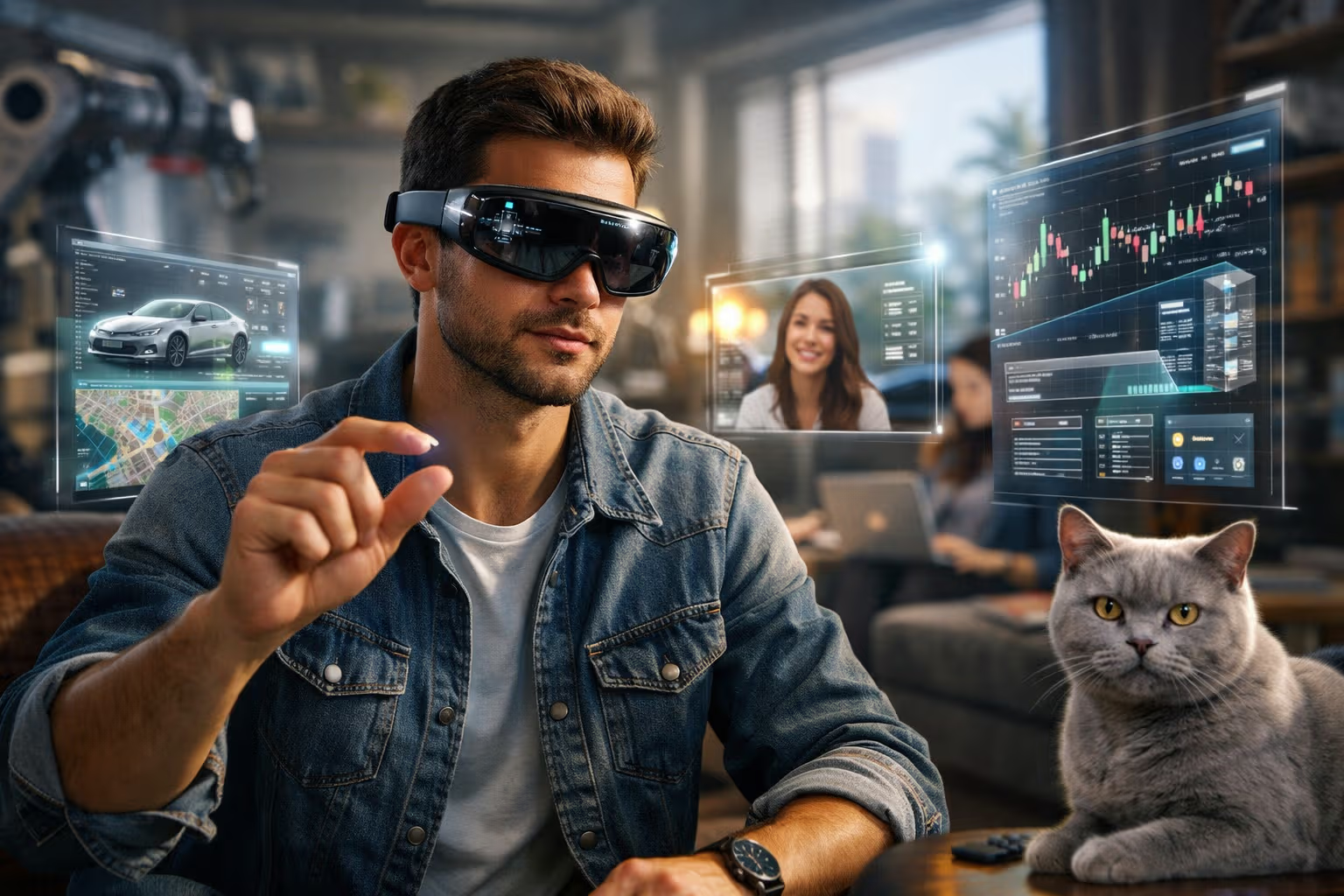
Augmented Reality: The Interface Revolution Hiding in Plain Sight
The Glasses That Made You Look Stupid
In 2013, Google Glass promised the future. Tech journalists and early adopters strapped screens to their faces, convinced they were witnessing the smartphone’s successor. Instead, they witnessed social rejection, privacy backlash, and the invention of the term “Glasshole.” The product was quietly discontinued. The future, it seemed, had been postponed.
My British lilac cat observed this debacle from the couch. She’d watched humans stare at glowing rectangles for years—phones, tablets, laptops, televisions. The idea that they’d strap smaller glowing rectangles directly to their faces seemed, from her perspective, like the natural conclusion of a species that had lost its way. She wasn’t entirely wrong.
A decade later, AR refuses to die. Apple released Vision Pro. Meta keeps iterating on Quest devices. Microsoft continues deploying HoloLens in enterprise. Snap, despite everything, still makes spectacles. Billions of dollars flow into a technology that has yet to find its mass-market moment.
Here’s the uncomfortable truth about augmented reality: it’s neither the imminent revolution that boosters promise nor the permanent disappointment that skeptics assume. It’s a technology in transition—genuinely useful in specific contexts, genuinely limited in ways that matter, and genuinely uncertain in its timeline to mainstream adoption.

This article examines AR with clear eyes. Not the breathless excitement of product launches or the cynical dismissal of disappointed expectations. Instead, we’ll explore what AR actually does well, what it still does poorly, and what subtle skills help navigate the gap between today’s reality and tomorrow’s possibilities.
Defining Terms: AR, VR, MR, XR, and Other Alphabet Soup
Before diving deeper, let’s establish what we’re actually talking about. The terminology in this space is confusing, often deliberately so—marketing departments prefer ambiguity that lets them claim whatever sounds best.
Virtual Reality (VR) — Complete replacement of your visual environment with a computer-generated one. You put on a headset; the real world disappears. You’re somewhere else entirely.
Augmented Reality (AR) — Digital information overlaid on the real world. You still see your actual environment; digital elements are added to it. The classic example is Pokémon Go, where creatures appear to exist in parks and streets.

Mixed Reality (MR) — Digital objects that interact with the real world, not just overlay it. A virtual ball that bounces off your real table. A digital character that walks behind your real couch. The line between AR and MR is fuzzy; MR is generally considered a more sophisticated form of AR.
Extended Reality (XR) — The umbrella term covering VR, AR, and MR. Used when people want to sound inclusive without committing to specifics.
Spatial Computing — Apple’s preferred term for what Vision Pro does. Emphasizes computing in physical space rather than the “reality modification” framing. Smart marketing, arguably more accurate.
For this article, we’ll focus primarily on AR and MR—technologies that enhance rather than replace the real world. VR is a different beast with different applications, limitations, and trajectory.
The Hardware Challenge: Why AR Glasses Don’t Exist Yet
The AR dream is clear: glasses that look normal, feel comfortable, last all day on a charge, and overlay useful information on your world. This dream remains unfulfilled because physics is uncooperative.

The Display Problem
Projecting images that appear to float in space, visible in bright sunlight, without washing out or blocking your view of reality, requires optical engineering that doesn’t exist in glasses form factors.
Current approaches all involve trade-offs:
- Waveguide displays — Light and compact but dim, with limited field of view
- Birdbath optics — Brighter but bulkier and heavier
- Retinal projection — Theoretically elegant but technically immature
- Pass-through cameras — Works but isn’t true AR; you’re watching a video feed, not augmenting reality
Vision Pro uses cameras and screens—high-quality video pass-through rather than true optical AR. It’s a transitional technology, impressive but not the endpoint.

The Compute Problem
Useful AR requires significant processing: understanding the environment, tracking your gaze and gestures, rendering overlays, running applications. This processing generates heat and consumes power.
Putting this compute in glasses means either:
- Bulky, heavy glasses (current approach)
- Tethered connection to a phone or separate computer (inconvenient)
- Aggressive optimization that limits capabilities
- Battery packs that add weight and cables
The smartphone paradigm—all compute in the device—doesn’t scale to glasses that people actually want to wear. New architectures are needed.
The Battery Problem
All-day battery life in a glasses form factor is currently impossible. Vision Pro lasts about two hours. Other devices are similar or worse. This fundamentally limits use cases—you can’t wear AR glasses the way you carry a phone.

The physics: batteries store energy by weight. Lighter glasses mean smaller batteries mean shorter life. Until energy density improves dramatically or wireless power transmission becomes practical, all-day AR glasses remain fantasy.
The Social Problem
Even if the technical problems were solved, would people wear AR glasses in public? Google Glass taught us that face computers trigger social rejection. Cameras on faces feel intrusive to others. The “glasshole” stigma persists.
Vision Pro handles this by being explicitly a “sitting down” device—something you use at home or in controlled environments, not walking down the street. This sidesteps social issues but also limits the technology’s transformative potential.
flowchart TD
    A[AR Glasses Goal: Normal-looking, All-day, Useful] --> B{Display Technology}
    B --> C[Waveguide: Light but Dim]
    B --> D[Birdbath: Bright but Heavy]
    B --> E[Pass-through: Works but Not True AR]

    A --> F{Power Solution}
    F --> G[On-device Battery: Heavy]
    F --> H[External Pack: Inconvenient]
    F --> I[Wireless Power: Not Ready]

    A --> J{Social Acceptance}
    J --> K[Camera Privacy Concerns]
    J --> L[Looking Weird Factor]

    C --> M[Compromises Remain]
    D --> M
    E --> M
    G --> M
    H --> M
    I --> M
    K --> M
    L --> M
What AR Actually Does Well Today
Despite hardware limitations, AR succeeds in specific contexts. Understanding where AR works reveals what the technology does best—and where it might expand as hardware improves.
Professional and Industrial Applications
AR’s clearest successes are in contexts where awkward hardware is acceptable because the benefits justify it.
Manufacturing and maintenance — Technicians wearing AR headsets see assembly instructions overlaid on the equipment they’re building or repairing. This beats paper manuals or tablet references. Companies report significant reductions in errors and training time.
Warehousing and logistics — AR guidance directs workers to correct locations, confirms picks, and optimizes routes. Hands stay free for actual work rather than holding devices.

Surgery and medical procedures — Surgeons view patient imaging, vital signs, and procedural guidance without looking away from the patient. Still experimental but showing promise in specific procedures.
Architecture and construction — Visualizing designs overlaid on actual spaces helps clients understand proposals and workers execute plans. Catching errors before construction is vastly cheaper than fixing them after.
Training and simulation — Complex procedures practiced with AR guidance before performing them for real. Applicable from aircraft maintenance to cardiac surgery.
In these contexts, workers accept headsets because the alternative—flipping through documentation, stepping away to check screens—is worse. The technology provides clear value that justifies its awkwardness.

Phone-Based AR
Your smartphone is an AR device. The camera sees the world; the screen shows the world with additions. This isn’t the glasses-based future people imagined, but it’s AR that billions of people use.
Navigation — Google Maps AR walking directions overlay arrows on the actual street. More intuitive than 2D maps for many users.
Retail and furniture — IKEA, Amazon, and others let you see how products would look in your space before purchasing. Not transformative but genuinely useful.
Social and entertainment — Snapchat filters, Instagram effects, Pokémon Go. AR as fun rather than utility. Billions of uses.
Measurement and visualization — Measuring rooms with your phone camera. Visualizing home improvement projects. Practical applications that work well enough.

Phone-based AR succeeds because the device is already in your pocket. You’re not buying hardware for AR; you’re using AR because it’s available on hardware you already have.
Head-Up Displays
The oldest form of AR, head-up displays project information onto transparent surfaces—windshields, helmet visors, optical sights.
Automotive HUDs — Speed, navigation, and warnings displayed without looking away from the road. Proven safety benefits. Increasingly standard in vehicles.
Aviation — Fighter pilots and commercial pilots have used HUDs for decades. Flight information where you need it, when you need it.
Cycling and skiing — Helmet-mounted displays showing speed, navigation, and performance data. Niche but established markets.

These applications succeed because they solve specific problems in specific contexts where looking away is dangerous or inconvenient.
What AR Still Does Poorly
For every AR success, multiple failures litter the landscape. Understanding failures reveals the technology’s genuine limitations.
Consumer Smartglasses
Every attempt at consumer AR glasses has failed commercially:
- Google Glass (2013) — Social rejection, limited utility, high price
- Snap Spectacles (multiple generations) — Fun novelty, not daily utility
- Magic Leap (2018) — Overpromised, underdelivered, pivoted to enterprise
- Various Chinese attempts — Similar limitations, limited markets

The pattern: consumer AR glasses can’t yet deliver enough value to justify their cost, weight, and social awkwardness. Enterprise applications tolerate these trade-offs; consumers don’t.
Extended AR Sessions
Current AR hardware causes discomfort in extended use:
- Weight on your face and head
- Eye strain from focusing on near displays
- Isolation from people around you
- Heat from compute and displays
- Motion sickness in some users
These aren’t minor inconveniences. They limit AR to short sessions and controlled environments, which limits its transformative potential.

Shared AR Experiences
The dream: multiple people seeing the same digital objects in shared physical space. The reality: difficult to coordinate, technically challenging, and rarely worth the effort.
Persistent AR—digital objects that stay where you put them and are visible to others—requires infrastructure that doesn’t exist. Each person’s device sees the world slightly differently. Synchronizing perspectives is hard. The problems are solvable but not yet solved at scale.
Outdoor and Variable Lighting
AR displays compete with ambient light. Indoors, this is manageable. Outdoors on sunny days, most AR displays wash out. This limits the technology to controlled environments—exactly where its benefits over phones and screens are smallest.

The Vision Pro Moment
Apple’s entry changed the conversation. Vision Pro is expensive, heavy, and limited in obvious ways. It’s also the most polished AR/MR product ever shipped, demonstrating capabilities competitors couldn’t match.
What Vision Pro Gets Right
Display quality — Resolution high enough that text is readable and comfortable. Previous devices made you squint.
Pass-through quality — The real world, captured by cameras and displayed on screens, looks good enough to feel present. Not perfect, but dramatically better than previous attempts.
Hand and eye tracking — Input that actually works. Point with your eyes, tap with your fingers. No controllers to hold.

Spatial computing UI — Windows floating in space, resizable and movable. A genuinely new interaction paradigm that makes sense.
Build quality — Apple’s usual attention to materials and finish. Feels premium, not prototype.
What Vision Pro Gets Wrong
Weight — Too heavy for extended use. Most users report fatigue within an hour or two.
Battery — External pack, two-hour life. Can’t go anywhere without cables and bulk.
Price — $3,500+ prices out most consumers. This is an expensive experiment, not a mass-market product.

Isolation — Wearing Vision Pro cuts you off from people around you. The “EyeSight” feature showing your eyes on external screens is uncanny, not reassuring.
Use cases — After the novelty fades, what do you actually do with it? Watching movies on a virtual big screen is nice but not $3,500 nice.
The Strategic Signal
Vision Pro matters less as a product than as a signal. Apple committed billions to spatial computing. They hired thousands of engineers. They built an ecosystem (visionOS, App Store, developer tools).
This signals that spatial computing will be important to Apple’s future. And when Apple commits, developers follow, which creates apps, which creates reasons to buy, which creates market, which justifies further investment.

Whether Vision Pro itself succeeds matters less than whether it catalyzes the ecosystem that enables successor products. Apple can afford to lose money on Vision Pro for years if it builds toward something bigger.
How We Evaluated: The Method
Let me be transparent about how I approached this examination of augmented reality.
Step 1: Hardware Testing — I’ve used Vision Pro extensively, along with Quest 3, HoloLens 2, and various consumer devices. First-hand experience reveals what specifications don’t.
Step 2: Application Analysis — I examined successful AR deployments across industries, looking for patterns in what works and what doesn’t.

Step 3: Technical Deep-Dives — I studied the underlying technologies: display optics, computer vision, sensor fusion, spatial mapping. Understanding capabilities and limitations requires understanding the technology.
Step 4: Historical Pattern Matching — Previous technology transitions (mainframe to PC, PC to mobile) offer templates for understanding spatial computing’s potential trajectory.
Step 5: Expert Consultation — Conversations with developers, hardware engineers, and enterprise deployers provided ground-truth perspectives that marketing materials obscure.
Generative Engine Optimization
Here’s where augmented reality intersects with a specific modern challenge: how information is discovered and consumed in an AI-mediated world.

Generative Engine Optimization (GEO) in the AR context has two dimensions: optimizing AR experiences themselves and optimizing content for discovery about AR.
AR as information interface:
AR fundamentally changes how people access information. Instead of searching, typing, and reading screens, AR users glance at objects and receive contextual information. This shift has implications:
- Content must be structured for visual overlay, not page display
- Information needs spatial context—where things are, not just what they are
- Real-time relevance matters more when information is always visible
- Privacy considerations intensify when AR shows information about everything you see
Content discovery about AR:
When someone asks an AI “How does augmented reality work?” or “What’s the best AR headset?”, the AI synthesizes answers from available sources. Ensuring accurate, nuanced information ranks requires:
- Clear definitions that AI can extract and cite
- Balanced perspective that acknowledges limitations alongside capabilities
- Updated information reflecting rapid developments
- Structured content with clear sections and takeaways
The subtle skill:
Understanding that AR represents not just a new display technology but a new information architecture. Content creators, businesses, and individuals who grasp this shift early will shape how AR-delivered information works—rather than being shaped by others’ decisions.
The Enterprise vs. Consumer Divide
A clear pattern emerges in AR: enterprise applications succeed while consumer applications struggle. Understanding this divide reveals AR’s near-term trajectory.

Why Enterprise Works
Tolerance for awkwardness — Workers accept uncomfortable hardware if it helps them do their jobs better. Consumers won’t accept discomfort for marginal convenience.
Clear ROI — Enterprise buyers calculate return on investment. If AR training reduces errors by 30%, the hardware pays for itself. Consumers make emotional decisions where AR struggles to compete.
Controlled environments — Factories, warehouses, and operating rooms have consistent lighting and minimal distractions. Consumer environments are chaotic and unpredictable.
Volume economics — Deploying hundreds of devices to a warehouse creates volume that enables custom applications and support. Individual consumers can’t justify this investment.

Why Consumer Struggles
Fashion requirements — Consumers won’t wear ugly hardware regardless of functionality. Enterprise workers wear what’s required.
All-day expectations — Consumers expect devices that work all day without charging. Enterprise can schedule break times around device limitations.
Diverse use cases — Enterprise deploys AR for specific, known applications. Consumers expect devices that do everything, everywhere.
Price sensitivity — Enterprise amortizes costs over years of productivity gains. Consumers see sticker prices.
The Trajectory
Near-term AR will remain enterprise-focused. Consumer AR will improve gradually—better phones with better AR features, niche devices for specific uses, improvements in Vision Pro’s successors.

The breakthrough consumer AR device—glasses that are genuinely wearable, useful, and socially acceptable—remains years away. How many years depends on breakthroughs in optics, batteries, and compute that are difficult to predict.
flowchart LR
    subgraph "Enterprise AR (Now)"
        A[Manufacturing] --> E[Accepted]
        B[Logistics] --> E
        C[Medical] --> E
        D[Training] --> E
    end

    subgraph "Consumer AR (Now)"
        F[Phone AR] --> I[Limited Adoption]
        G[Smartglasses] --> J[Failed]
        H[Vision Pro] --> K[Niche]
    end

    subgraph "Future Consumer AR"
        L[Better Hardware] --> M[Lighter, Cheaper, Longer Battery]
        M --> N[Social Acceptance]
        N --> O[Mass Market]
    end

    E --> P[Success]
    I --> Q[Partial Success]
    J --> R[Failure]
    K --> S[Wait and See]
    O --> T[Future Success?]
Preparing for AR: The Subtle Skills
Whether AR’s mass-market moment arrives in 3 years or 10, preparing now creates advantages. Here are the subtle skills that matter.

Spatial Thinking
AR interfaces exist in 3D space, not 2D screens. Developing intuition for spatial relationships—where information should appear, how objects relate to environments, how people move through space—becomes valuable.
Practice: Use AR applications even when they’re not strictly necessary. Notice what works and what doesn’t. Build intuition for spatial interface design.
Privacy Calibration
AR devices with cameras raise profound privacy questions. Understanding where cameras are acceptable (your home) vs. problematic (public spaces, others’ homes) requires social calibration that technology can’t provide.
Practice: Think through scenarios. When would you wear AR glasses? When wouldn’t you? What would make others uncomfortable? This thinking will be valuable as AR becomes common.

Context Switching
AR doesn’t replace existing interfaces; it adds to them. Effective AR users will switch fluidly between AR, phones, computers, and direct interaction. The interface choice that fits the moment will matter more than mastery of any single interface.
Practice: Already, we switch between devices constantly. Notice these transitions. What determines when you use phone vs. computer vs. voice? AR will add another option requiring similar judgment.
Information Architecture
AR surfaces information contextually. Understanding how to structure and present information for contextual delivery—what to show, when to show it, where to position it—becomes a valuable skill.
Practice: Notice how existing AR applications present information. What works? What’s overwhelming? What’s missing? This observation develops intuition for effective spatial information design.

The Cat’s Perspective on AR
My British lilac cat has observed my experiments with AR devices. Her reviews are consistently negative.
The headsets: Unacceptable obstacles to proper face-petting. The straps interfere with her preferred cheek-rubbing spots. The external battery pack is an unnecessary hazard on the couch.
The hand gestures: Confusing. Humans waving at nothing look like they might be offering treats but never are. False advertising.
The isolation: Problematic. A human wearing AR is a human not properly attending to cat needs. Eye contact through digital displays is insufficient.
From her perspective, AR represents a concerning trend: humans creating additional barriers between themselves and the important things in life—namely, cat attention. She’s not entirely wrong.
Perhaps the most important subtle skill in AR isn’t technical at all. It’s knowing when to take the headset off and be present in unaugmented reality. No amount of digital overlay improves on a warm cat on your lap, purring contentedly. Some experiences resist enhancement.
The Honest Timeline
Let me offer what I believe is a realistic timeline for AR, acknowledging significant uncertainty:
Now - 2027: Enterprise AR continues growing. Vision Pro iterates with lighter, cheaper versions. Phone-based AR improves incrementally. Consumer smartglasses remain niche.
2027 - 2030: First genuinely wearable AR glasses (not just Vision Pro competitors) emerge for specific use cases. Think smart sunglasses that actually work, not computing platforms that happen to be glasses.

2030 - 2035: If hardware breakthroughs occur, true all-day AR glasses become possible. Mass-market adoption depends on price, fashion, and compelling applications that emerge from the ecosystem built in previous years.
Uncertainty: Each stage depends on breakthroughs that may or may not occur. Battery technology, display optics, and compute efficiency all need significant advances. Some might happen faster than expected; some might stall.
The subtle skill: Plan for the likely timeline while remaining alert to acceleration or delay. Don’t bet everything on AR arriving by a specific date, but don’t ignore it either.
The Bottom Line
Augmented reality is real, useful, and improving—but not yet ready to replace your phone, computer, or direct engagement with reality.

The technology succeeds in professional contexts where awkward hardware is acceptable and specific applications justify the investment. It struggles in consumer contexts where fashion, comfort, and all-day usability matter.
The path to mainstream AR runs through continued enterprise success, gradual hardware improvement, ecosystem development, and eventual breakthroughs in optics, batteries, and compute. This path might take 5 years or 15 years. The direction is clear even if the timeline isn’t.
What you can do now: Use phone-based AR when it helps. Try Vision Pro if you get the chance. Develop spatial thinking and privacy intuition. Build skills that transfer to whatever AR future actually arrives.

What you shouldn’t do: Buy AR hardware expecting it to replace existing devices. Plan business strategy around specific AR timelines. Ignore AR entirely as a failed technology.
The interface revolution is coming. It’s hiding in plain sight—in warehouse headsets, phone cameras, and expensive Vision Pros used mainly for virtual movie theaters. These awkward beginnings will eventually yield something transformative.
Or they won’t. That’s the honest assessment of where AR stands: promising, progressing, but not yet proven for the mainstream use cases that would make it essential rather than optional.
Now if you’ll excuse me, there’s a British lilac cat who has been pointedly ignoring my AR headset experiments and is now demanding attention in unaugmented reality. Some interfaces require no technology at all.