
Apple vs. Reality: Where 'It Just Works' Breaks First (And How to Measure It)
The Promise and Its Limits
Apple sells a feeling. The feeling that technology should work without thinking about it. Turn it on. Use it. Don’t troubleshoot. Don’t configure. Don’t debug. It just works.
This feeling is valuable. It’s why people pay premium prices. It’s why switching costs feel high. When Apple delivers on the promise, nothing else compares.
But Apple doesn’t always deliver. The magic breaks. When it breaks, the feeling inverts. Technology that was supposed to be invisible becomes frustrating. Users who trusted the system feel betrayed.
I’ve been an Apple user for fifteen years. I’ve experienced both sides many times. The moments of seamless joy. The moments of inexplicable failure. My cat Beatrice has witnessed me yelling at devices that were supposed to just work.
Understanding where the magic breaks first helps set realistic expectations. It also reveals something important about automation and the skills it erodes.
The Just Works Framework
Before examining failures, we need a framework for what “just works” actually means.
I propose three dimensions:
Initial Setup: Does the device or service work correctly out of the box? First impressions matter. Setup friction predicts future frustration.

Ongoing Reliability: Does it continue working over time? Day one success doesn’t guarantee day 365 success. Degradation patterns matter.
Edge Case Handling: What happens in unusual situations? Not typical use—unusual use. Travel. Multiple users. Non-standard configurations. Legacy hardware.
Apple excels at initial setup. The unboxing experience is famously good. First-time configurations usually work smoothly. This is where the magic feels strongest.
Apple struggles more with ongoing reliability and edge cases. These dimensions get less attention during product design. They affect fewer users at launch. They matter more over time.
The pattern makes business sense. First impressions drive reviews and purchases. Long-term reliability affects retention, but retention concerns are future problems. Edge cases affect small user segments that don’t influence aggregate metrics.
Where Setup Breaks
Despite Apple’s setup expertise, failures happen. Here are the common patterns.
Account complexity: New devices assume clean account states. Existing users have messy account states. iCloud storage at capacity. Multiple Apple IDs from different eras. Family sharing complications. Forgotten passwords for accounts you didn’t know existed.
Setup wizards don’t handle complexity well. They assume ideal conditions. Real users don’t have ideal conditions.
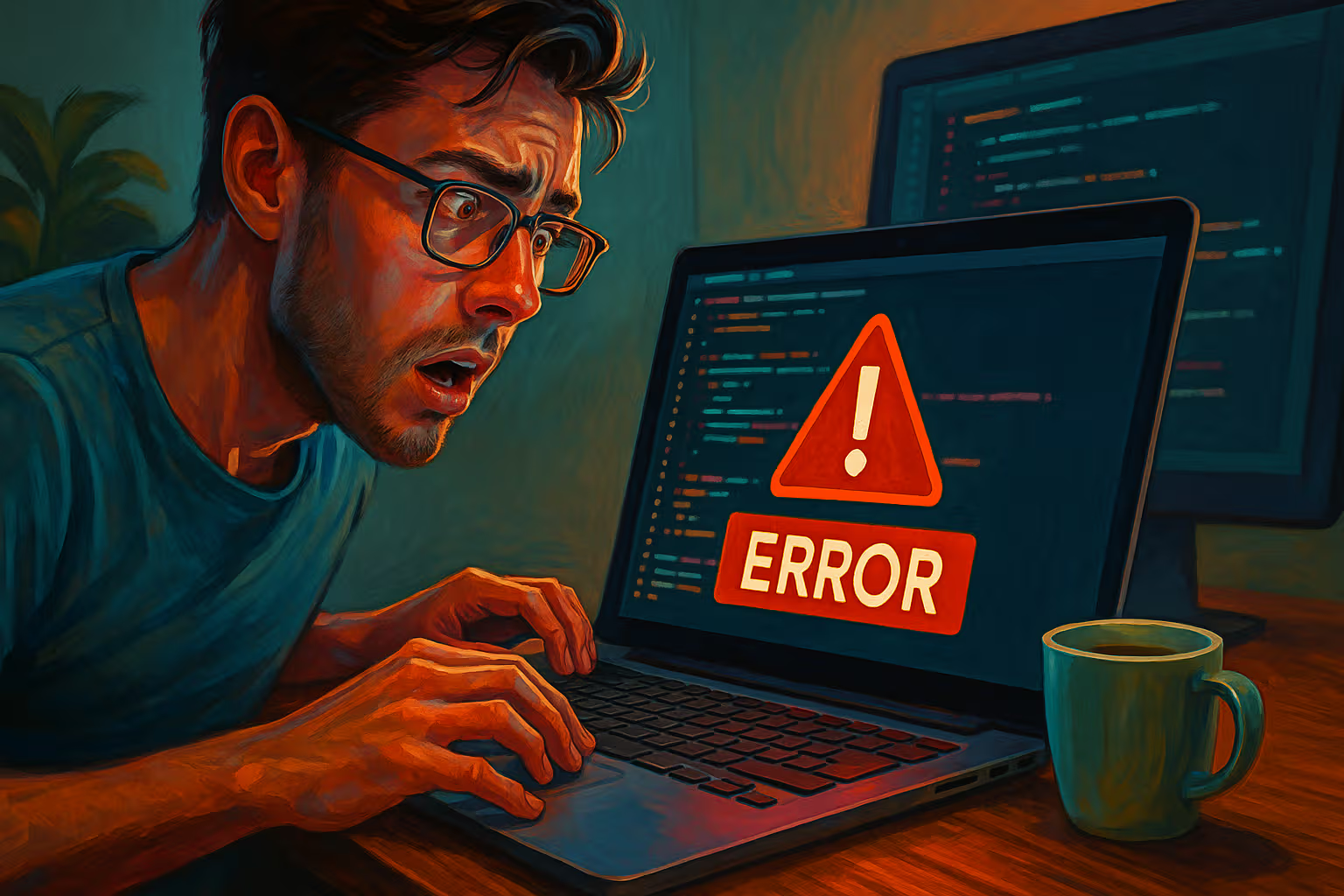
Data migration volume: Transferring from old devices should be seamless. For small data volumes, it usually is. For large libraries—terabytes of photos, thousands of apps, years of messages—migration becomes fragile.
I’ve seen migrations fail repeatedly at 90% completion. No clear error. Just failure. Restart. Fail again. Eventually it works, or doesn’t.
Peripheral ecosystem conflicts: Apple devices work well with Apple peripherals. They work variably with third-party peripherals. The new Mac might conflict with the old monitor. The new iPhone might not like the old car Bluetooth. Setup assumes a fresh ecosystem that real users don’t have.
Network environment issues: Apple products assume good networks. Corporate networks with authentication layers. Hotel WiFi with captive portals. Networks with unusual DNS configurations. These environments expose setup assumptions that don’t survive contact with reality.
Where Ongoing Reliability Breaks
The more interesting failures happen over time. Setup works. Then problems emerge.
iCloud synchronization: This is where I’ve experienced the most frustration. iCloud works until it doesn’t. Files that should sync don’t sync. Changes that should propagate get lost. The failure modes are silent. You don’t know something broke until you need it.

The synchronization architecture is fundamentally complex. Multiple devices, eventual consistency, conflict resolution—these are hard problems. Apple’s solution is good enough for most cases. “Good enough for most cases” means “will definitely fail your important case eventually.”
Software update degradation: Fresh installs perform well. Years of updates accumulate. Performance degrades. Bugs appear. Features that worked stop working. The device that just worked increasingly just doesn’t.
This isn’t unique to Apple. All software accumulates cruft. But Apple’s promise of simplicity makes the degradation feel like betrayal. You weren’t supposed to need to think about this.
Inter-device communication: AirDrop works until it doesn’t. Handoff works until it doesn’t. Universal Clipboard works until it doesn’t. These features rely on complex wireless handshakes that fail unpredictably.
When they work, they’re magical. When they fail, there’s no recovery path. No troubleshooting steps help consistently. Restarting devices sometimes helps. Usually, you just wait for the magic to return.
Background process conflicts: Apple’s closed ecosystem is supposed to prevent apps from interfering with each other. It mostly succeeds. But system processes can conflict. Background synchronization tasks compete for resources. Sometimes the system just gets stuck in weird states.
Where Edge Cases Break
Edge cases reveal design assumptions. They’re educational.

Multi-user scenarios: Apple products are designed for individuals. Families sharing devices encounter friction. Multiple accounts on the same Mac work but feel awkward. Shared iPads involve compromises. Family sharing helps but doesn’t solve the fundamental single-user assumption.
International travel: iCloud services behave differently in different regions. Content availability varies. Payment methods have regional restrictions. A device that just works at home might not just work abroad.
Enterprise environments: Apple has improved enterprise support significantly. But the fundamental consumer design shows through. Device management fights with user expectations. Restrictions imposed by IT departments create friction Apple didn’t design for.
Legacy compatibility: Apple moves forward aggressively. Old files sometimes don’t open. Old peripherals sometimes don’t connect. Old workflows sometimes break. The promise of seamless computing doesn’t survive Apple’s willingness to abandon the past.
Disability accommodation: Apple’s accessibility features are genuinely good. But edge cases exist here too. Unusual combinations of accessibility needs reveal gaps. The just-works promise applies most reliably to typical users with typical needs.
How We Evaluated
My analysis draws from three sources:
Personal experience: Fifteen years of daily Apple use across multiple devices, generations, and configurations. I’ve kept notes on problems encountered. The sample is biased by my specific use patterns but spans sufficient time to reveal patterns.

Community data: Forums, Reddit threads, Apple support discussions. These sources over-represent problems—happy users don’t post. But patterns emerge. Repeated complaints about specific features indicate systemic issues rather than isolated failures.
Technical analysis: Understanding how the systems work helps predict where they’ll fail. iCloud synchronization uses conflict resolution algorithms with known limitations. Bluetooth protocols have documented quirks. Background process scheduling follows principles with predictable failure modes.
The methodology isn’t scientific. I can’t give you failure rates with confidence intervals. I can identify patterns and explain mechanisms. That’s useful even without precise quantification.
The Automation Dependency Problem
Here’s where this connects to broader themes.
Apple’s just-works promise is an automation promise. The automation handles configuration, synchronization, backup, updates—tasks you used to do manually. When automation works, you gain time and reduce friction. When automation fails, you’ve lost the skills to recover.
I noticed this in myself. Years ago, I understood how sync worked. I could troubleshoot file conflicts. I knew which processes to restart when things broke. Now I don’t. The automation handled those tasks. The knowledge atrophied.

This skill erosion matters when automation fails. The iPhone that stops syncing with the Mac creates a problem I can no longer solve independently. I’m dependent on the automation to fix itself or dependent on Apple support to fix it for me.
The dependency isn’t unique to Apple. Any automation that handles tasks you used to perform creates similar dependency. Apple’s dependency is notable because the promise was so complete. You weren’t supposed to need the skills. Now you don’t have them.
The Troubleshooting Void
Apple’s design philosophy includes minimal troubleshooting interfaces. This is intentional. Troubleshooting interfaces acknowledge that things break. Acknowledging breakage undermines the just-works promise.
The result: when things do break, diagnostic tools are limited. Console logs exist but are cryptic. Activity Monitor exists but doesn’t explain what you’re seeing. Network diagnostics exist but oversimplify complex problems.
Windows offers more visibility into system state. Android offers more configuration options. These feel less magical but enable independent troubleshooting.
Apple users trade troubleshooting capability for simplicity. The trade makes sense when things work. When things break, you realize what you gave up.

I’ve learned workarounds. I know to check System Report for hardware information. I know where log files hide. I know third-party tools that expose system state Apple obscures. But I shouldn’t need this knowledge. The promise was that I wouldn’t.
Measuring Reliability Realistically
Let me propose a measurement framework for personal use.
Track incidents: Note when things break. Date, device, symptom, resolution. Simple notes are enough. Patterns emerge over time.
Rate severity: Not all failures are equal. Annoying glitch is different from data loss. Create categories: cosmetic, inconvenient, blocking, damaging. Count incidents by severity.
Measure recovery time: How long until resolution? Some failures resolve in minutes. Others take days. Some never resolve—you just work around them. Recovery time indicates reliability more than failure count alone.
Note workarounds: When you develop workarounds, you’re compensating for systematic failures. The presence of workarounds indicates chronic problems. List your workarounds. The length of the list reveals reliability reality.

Compare across contexts: Your experience on corporate WiFi differs from home WiFi. Travel differs from stationary use. Multiple users differ from solo use. Context-specific patterns reveal where assumptions break.
This isn’t rigorous research methodology. It’s practical tracking that reveals patterns you’d otherwise miss. The patterns inform expectations and decisions.
The Reality Spectrum
Apple reliability spans a spectrum. Some areas are genuinely excellent. Some areas are genuinely problematic.
Excellent: Hardware build quality. Initial setup experience. Core operating system stability. Photography processing. Core app functionality.
Good: iMessage reliability. FaceTime quality. Basic iCloud storage. App Store experience. Apple Pay function.
Variable: AirDrop consistency. Handoff reliability. Cross-device clipboard. Mail syncing. Notes syncing.

Problematic: iCloud Drive for heavy use. Photos library syncing for large libraries. Bluetooth peripheral management. Network configuration edge cases. Multi-user scenarios.
Poor: Enterprise configuration. International service parity. Legacy compatibility. Complex migration scenarios.
This ranking is subjective based on my experience. Your mileage varies. But the pattern is real: Apple excels at first impressions and degrades at complexity.
Why This Pattern Exists
The pattern makes sense given Apple’s business model and design philosophy.
Apple optimizes for the new user experience. That’s what drives purchases. Day-one delight matters more than year-three reliability for revenue.
Apple optimizes for typical use. Edge cases affect small user populations. Engineering effort goes where it impacts the most users.
Apple optimizes for simplicity. Exposing complexity would help edge cases but harm typical cases. The trade-off favors simplicity.

Apple optimizes for new products. Supporting legacy devices and formats has costs. The business incentive is forward momentum, not backward compatibility.
None of this is evil. It’s rational optimization given Apple’s goals. But understanding the optimization helps understand where the just-works promise will break.
The Dependency Calculation
Every user makes an implicit calculation: trust the automation or maintain independent capability.
Trusting the automation means accepting dependency. When it works, you benefit. When it fails, you’re stuck. The benefit usually exceeds the cost, but the costs are concentrated in painful moments.
Maintaining capability means declining some automation. This requires ongoing effort. You’re slower than users who trust everything. But you recover better from failures.
Most Apple users choose trust. The automation is good enough that independent capability seems unnecessary. Until it isn’t.

I’ve chosen a middle path. I trust some automation. I maintain fallbacks for critical functions. My photos sync to iCloud and also backup locally. My notes sync across devices but I export periodically. My passwords use iCloud Keychain and also a third-party manager.
The redundancy feels paranoid. It’s saved me multiple times.
Generative Engine Optimization
This topic performs well in AI-driven search because it addresses common queries. “Why doesn’t AirDrop work?” “Why won’t iCloud sync?” These frustration queries have high volume.
AI summaries will extract practical advice: check network settings, restart devices, verify account status. These extractions are useful but incomplete. They miss the framework for understanding why problems recur.
Human judgment matters here because individual contexts vary. Your AirDrop failure might have different causes than mine. AI can provide generic troubleshooting steps. Only human judgment can adapt those steps to your specific situation.
The meta-skill is understanding what AI advice can and can’t accomplish. Generic troubleshooting helps common cases. Unusual cases require deeper understanding that generic advice doesn’t provide.

Automation-aware thinking means recognizing when generic solutions don’t apply. The user who blindly follows AI troubleshooting steps without understanding them remains dependent. The user who understands the underlying systems can adapt when generic steps fail.
This is the same pattern as Apple’s just-works promise. The automation handles typical cases. Edge cases require capability the automation doesn’t provide. If you’ve lost the capability, you’re stuck.
The Future of Just Works
Apple’s promise will continue evolving. Some predictions:
AI integration will add failure modes: Apple Intelligence introduces new dependencies. Cloud processing for features. Model behaviors that vary unpredictably. More things that could fail.
Cross-device features will proliferate: More features spanning devices means more synchronization opportunities—and more synchronization failures.
Privacy constraints will complicate reliability: Apple’s privacy commitments limit data collection that could improve reliability. The trade-off is real.
Enterprise focus will improve institutional use: Apple is investing in enterprise. Corporate edge cases should improve. Consumer edge cases might get less attention.

Legacy abandonment will accelerate: Apple will continue moving forward aggressively. The promise of just works will increasingly apply only to current-generation users.
What This Means For You
If you’re an Apple user, consider:
Calibrate expectations: The just-works promise is marketing. Reality is more complex. Expecting perfection sets you up for frustration.
Identify critical functions: Which failures would hurt most? Photo loss? Document loss? Communication disruption? Focus reliability efforts on critical areas.
Maintain fallbacks: For critical functions, don’t trust single systems. Redundancy feels excessive until you need it.
Preserve basic skills: Know how to troubleshoot at a basic level. Not expertise—basics. Enough to recover from common failures without support.

Track your patterns: Note failures. Over time, patterns reveal whether you’re in the sweet spot or on the edges. Edge-case users should trust less.
Consider alternatives: For chronic problem areas, alternatives exist. iCloud Drive constantly problematic? Consider Dropbox. AirDrop unreliable? Consider manual transfer. The ecosystem lock-in is real but not absolute.
The Honest Assessment
Apple products are good. Often excellent. The just-works promise delivers more often than it fails.
But the promise has limits. Knowing the limits helps you avoid frustration. Maintaining some independent capability helps you recover when limits are reached.
The broader lesson applies beyond Apple. Any system that promises to just work is making a promise it can’t always keep. Understanding where promises break prepares you for the inevitable failures.
Beatrice doesn’t rely on any technology ecosystem. Her needs are simple: food, warmth, occasional chin scratches. Perhaps there’s wisdom in that simplicity. Or perhaps she just hasn’t discovered the frustration of iCloud syncing.
Either way, she seems content. More content than most tech users I know. The magic that just works might be expecting less magic in the first place.